School ERP Software for Small Schools: Complete Guide
Small schools often run on registers, Excel sheets and WhatsApp groups, with a tiny office team and a tight budget. This complete guide explains what school ERP software is, why small schools need it,...
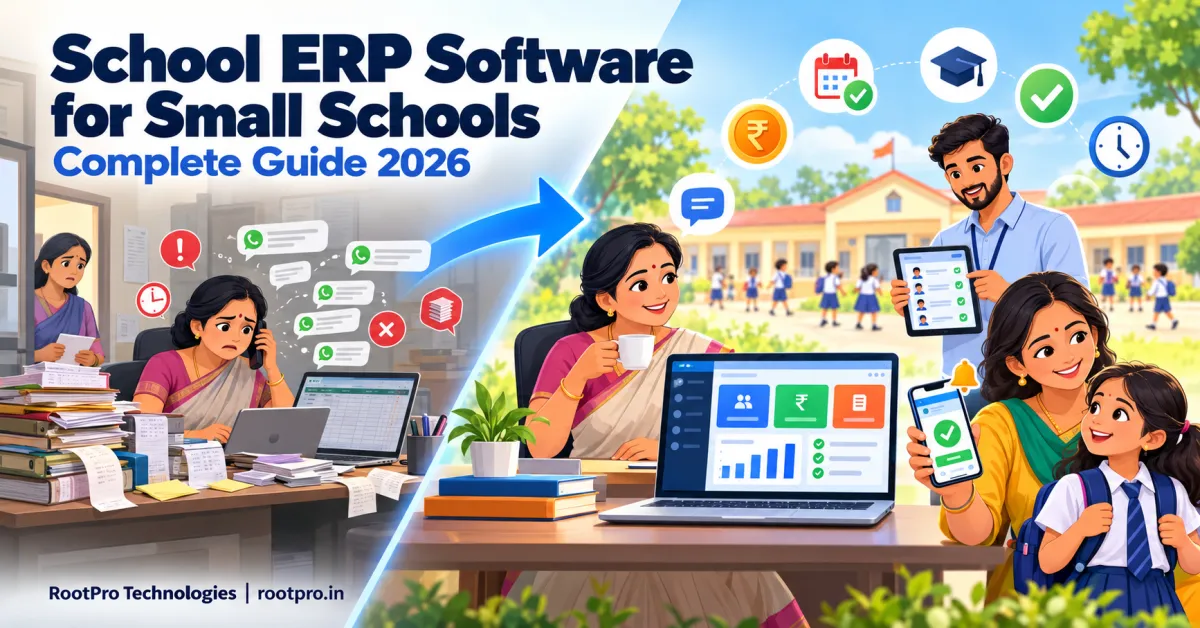
School ERP software for small schools is not a smaller copy of the heavy systems built for large school chains. A small school has different needs: a tiny office team, a limited budget, no IT department, and a principal who often doubles as the accountant and admissions officer. What it needs is software that is simple, affordable, quick to set up and genuinely useful from the first week.
This guide explains what a school ERP is, why small schools benefit from one, which features matter and which you can skip, how pricing works and how to go live in about 30 days. It applies to schools of any board, including state board, CBSE and ICSE schools.
What Is School ERP Software?
A school ERP (Enterprise Resource Planning) system is one connected platform that manages a school's administration, academics and finances. Instead of keeping admissions in one register, fees in a notebook and marks in an Excel file, everything lives in one database that the principal, teachers, accounts staff and parents use according to their role.
A modern school ERP typically covers:
- Admissions and student information
- Fee collection and accounting
- Student and staff attendance
- Timetables and substitutions
- Exams, marks and report cards
- Parent, teacher and student communication
- Reports and dashboards for management
What Counts as a "Small School"?
There is no official definition, but for this guide we mean a single-campus school with a few hundred students or fewer, a small office team of one to three people, and no dedicated IT staff. If that sounds like your school, the advice below is written for you.
Why Small Schools Struggle Without an ERP
Small schools face the same tasks as large ones, with far fewer people to do them:
- Fee follow-up eats time. Manual receipts, handwritten dues lists and repeated phone calls take hours every month.
- Errors multiply. Duplicate student entries, misspelt names and wrong dates of birth cause problems later during certificates, registrations and data submissions.
- Records live in one person's head. If the office assistant is absent or leaves, important information goes with them.
- Parents want updates. Families expect attendance, fee and homework information on their phones, not on paper slips.
- Data requirements keep growing. National and state portals expect accurate student-level data. UDISE+, for example, has tracked individual student records since 2022-23, and its 2025-26 report covers more than 60 data fields per student along with APAAR ID mapping. Clean records make that work easier for every school, large or small.
- Growth is hard to manage. More admissions mean more registers, more spreadsheets and more mistakes.
Why Not Just Use Excel and WhatsApp?
Many small schools start with spreadsheets and WhatsApp groups, and for a very small school this can work for a while. The problems appear as you grow:
| Area | Excel / WhatsApp | School ERP |
|---|---|---|
| Student records | Multiple files, version confusion | One verified database |
| Fee tracking | Manual formulas, easy to break | Automatic dues, receipts and reports |
| Attendance | Paper register, later typed in | Digital marking, instant parent alerts |
| Parent communication | Group chats, messages get lost | Targeted notices and an app |
| Report cards | Hours of manual work | Generated automatically |
| Security | Files on personal phones or laptops | Role-based access and backups |
| Reports for management | Built by hand each time | Ready dashboards |
| Growth | Gets slower as numbers grow | Scales with your school |
Features Small Schools Really Need
You do not need every module on day one. Start with these.
1. Student information system (SIS)
A single profile per student: personal details, guardians, admission number, class, documents, previous school and certificate history. Look for bulk import so you can move your existing Excel data quickly.
2. Fee management and online payments
Flexible fee structures by class and category, concessions, instalments, automatic receipts, due reminders, online payment links and a clear defaulter report. For most small schools, this is the module that pays for the software first.
3. Attendance management
Quick daily marking on a phone or tablet, automatic absence alerts to parents, and monthly reports. It saves teachers time and gives parents peace of mind.
4. Parent communication
Circulars, holiday notices, exam schedules and fee reminders sent by app, SMS or WhatsApp, in the language parents prefer. This cuts down phone calls to the office.
5. Exams and report cards
Marks entry, grade calculation and printable report cards in your board's format. Choose a system that matches your pattern rather than forcing you to change it.
6. Simple reports
A one-page view of today's attendance, this month's fee collection, pending dues and admissions in progress. Small school leaders need quick answers, not complicated analytics.
7. Admissions and enquiry tracking
Record every enquiry, follow up on time and convert more visits into admissions. Even a simple list with reminders is a big improvement over scattered notes.
8. Security and backups
Role-based logins (so teachers do not see fee data), regular backups and a clear statement on who owns your data.
What Small Schools Can Usually Skip at First
Adding modules you will not use only raises the cost and confuses staff. Consider postponing:
- Advanced HR and payroll workflows, if you have only a few staff
- Library and inventory modules, if the library is tiny
- Complex multi-campus management
- Heavy analytics and custom BI dashboards
- Biometric or RFID hardware, unless you truly need it
A good vendor will let you add these later, without migrating your data again.
How to Choose School ERP Software for a Small School
Use this checklist when you compare vendors:
- Simplicity: Can your office assistant and a teacher learn it in an hour or two? Ask for a live demo with your own sample data.
- Right-sized modules: Can you start with fees, attendance and student records and add more later?
- Transparent pricing: Ask for a written quote showing setup fees, per-student or annual charges, support terms and extras. Beware of hidden costs for SMS, apps or upgrades.
- Mobile-friendly: Teachers and parents should be able to use it on an ordinary smartphone with a modest internet connection.
- Language support: Check the parent app, SMS and report cards in your local language, not only English.
- Board and state fit: Confirm that report cards, certificates and data fields match your board or state requirements.
- Data migration: Ask who imports your existing Excel or register data and who checks it.
- Training and support: Look for onboarding, short training sessions and responsive help by phone or WhatsApp.
- Data ownership and export: You should be able to download your data at any time.
- Room to grow: The system should handle more students, classes and modules as your school expands.
What Affects School ERP Pricing?
Prices vary widely, so compare like with like. The main factors are:
- Number of students: Many vendors charge per student per year, or by student slabs.
- Modules selected: Core modules cost less than transport, library, HR and payroll.
- Mobile apps and branding: A parent app with your school's name and logo may cost extra.
- Messaging costs: SMS and WhatsApp messages are often billed separately.
- Customisation: Special report cards, fee structures or integrations add to the cost.
- Hosting model: Cloud subscriptions have lower upfront costs, while on-premise setups need hardware and IT support.
- Onboarding and support level: Data migration, training and priority support may be optional extras.
Compare the total cost over three years, not just the first-year fee, and ask what happens at renewal.
A simple way to check the return on investment
Ask yourself:
- How many staff hours per month go into fee receipts, reminders and dues lists?
- How much fee income arrives late each month because parents were not reminded?
- How many hours does report card preparation take each term?
If a few hours a week of office work can be saved, and late fees collected faster, an affordable ERP usually justifies itself. Calculate this for your own school rather than relying on a vendor's claims.
A 30-Day Plan to Go Live
Week 1: Prepare
- Decide your top three goals (for example: faster fee collection, digital attendance, better parent communication).
- Pick a small team: the principal, one office staff member and one teacher.
- Collect your student, parent and fee data in one Excel sheet.
- Clean the data: remove duplicates and fix spellings, dates of birth and phone numbers.
Week 2: Set up
- Import student and class data.
- Configure fee structures, concessions and due dates.
- Add staff logins and roles.
- Customise report card and receipt formats.
Week 3: Pilot
- Run attendance and fee entry for one or two classes.
- Train teachers in a short session (30–45 minutes is usually enough).
- Fix issues and gather feedback.
Week 4: Launch
- Roll out to all classes.
- Send a short guide and app link to parents.
- Hold a quick parent orientation, in person or on WhatsApp.
- Review the first month's reports and fine-tune.
Choose your timing wisely: Avoid exam weeks and the peak of admissions, and aim for the start of a month or term so fee data begins cleanly.
Common Mistakes Small Schools Make
- Choosing the cheapest option without checking support and data ownership
- Buying too many modules at the start
- Skipping data cleaning before migration
- Training only the office and not the teachers
- Forgetting to inform parents about the new app or payment link
- Not asking how updates and support work after the first year
Benefits at a Glance
- Saves hours every week: Less manual entry, fewer receipts to write, fewer calls to answer.
- Faster fee collection: Reminders and online payments reduce delays.
- Fewer errors: One verified record per student.
- Happier parents: Attendance, fees and notices on their phones.
- Professional image: Digital receipts and report cards build trust and help admissions.
- Ready for growth: Add classes, students and modules without starting over.
Related Guides for Your Board
- School ERP Software for CBSE Schools: Complete Guide
- School ERP Software for ICSE Schools: What You Need to Know
- School ERP Software for State Board Schools: Complete Guide
How RootPro Technologies Can Help
At RootPro Technologies, we are a Tamil Nadu-based team that builds school management software as an all-in-one ERP covering student information, fee management with online payments, and attendance and timetables. Small schools can start with the essentials and grow from there. When you need something specific, such as a custom report card or special fee rules, we can extend it through custom ERP and CRM development, build a branded parent and teacher mobile app, add AI chatbots and workflow automation for admissions enquiries, and help your school attract more families with a modern website and SEO and digital marketing.
Want to see what a school ERP could do for your school? Book a free consultation or chat with us on WhatsApp.
Frequently Asked Questions
What is school ERP software?
School ERP software is a unified platform that manages a school's admissions, student records, fees, attendance, exams, communication and reporting in one place.
Is school ERP software suitable for a small school?
Yes. Small schools often gain the most because a few hours saved each week matters a lot with a small team. The key is choosing a simple, affordable system and starting with the essential modules.
How much does school ERP software cost for a small school?
Pricing depends on student numbers, modules, messaging, customisation, hosting and support. Ask for itemised written quotes from several vendors and compare the total cost over three years.
Which modules should a small school start with?
Student information, fee management, attendance and parent communication. Add exams, admissions, HR and other modules as you grow.
Do we need computers or special hardware?
Usually no. Cloud-based systems work on a basic laptop, tablet or smartphone with an internet connection, and you only need extra hardware for options like biometric attendance.
Can we move our existing Excel data into the ERP?
Yes. Most vendors import student and fee data from Excel. Clean the file first so the migration is smooth, and ask the vendor who verifies the imported data.
How long does it take to set up?
Many small schools can go live with core modules in two to four weeks, depending on how ready their data is.
Will parents find it difficult to use?
Not if the app and messages are simple and available in their language. A short guide and a quick orientation help most families get started.
Can a school ERP grow with us?
A good one can. Ask whether you can add modules, classes and campuses later without migrating your data again.
Is our school data safe?
Ask about role-based access, backups, hosting and data ownership. You should be able to export your data whenever you want.
Key Takeaways
- Small schools need simple, affordable, quick-to-start software, not a stripped-down enterprise system.
- Start with student records, fees, attendance and parent communication, and add more later.
- Compare total three-year cost, and watch for extra charges on messaging, apps and upgrades.
- Clean your data, pilot with a few classes and train your teachers.
- Choose a partner who offers good support and lets you own and export your data.