School ERP Software for ICSE Schools: What You Need to Know
ICSE and ISC schools handle detailed subject groups, internal assessment, project work, strict candidate registration deadlines and rising parent expectations. This guide explains what school ERP sof...
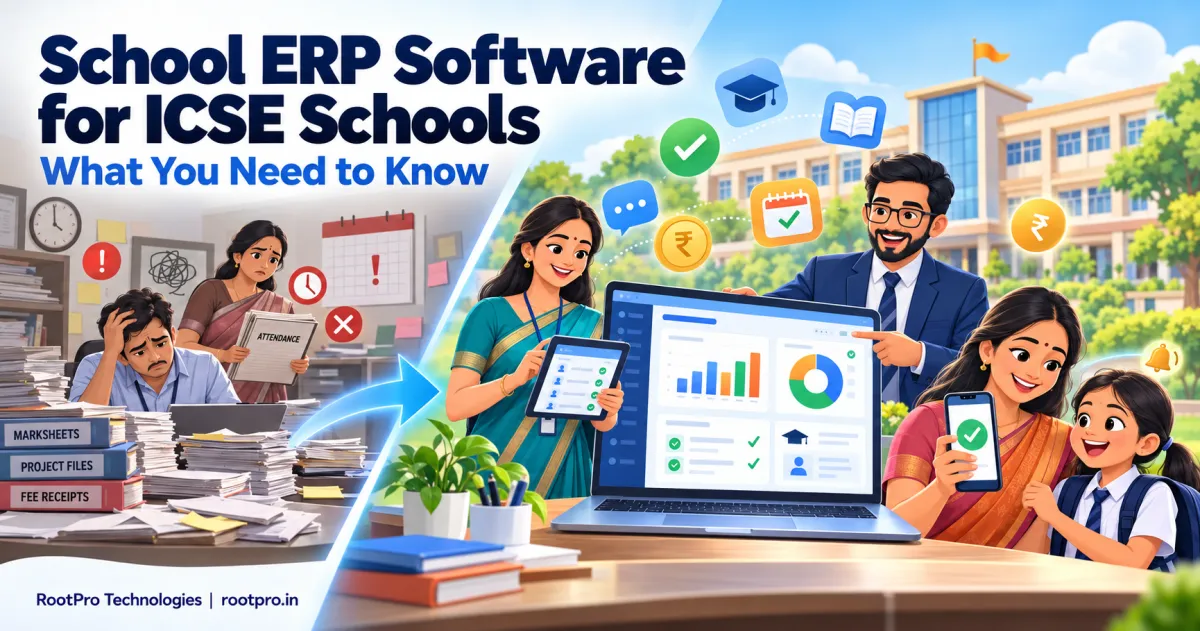
School ERP software for ICSE schools has to do more than collect fees and mark attendance. ICSE and ISC schools run a demanding curriculum with subject groups, internal assessment, project work and practicals, and they must meet fixed deadlines set by the Council for the Indian School Certificate Examinations (CISCE). When all of that lives in registers and scattered spreadsheets, even a well-run school struggles with errors, delays and staff burnout.
This guide explains what a school ERP is, what makes ICSE schools different from other boards, which features matter most, how to choose a vendor and how to roll out the system smoothly. A practical checklist is included at the end.
What Is School ERP Software?
A school ERP (Enterprise Resource Planning) system is one connected platform that manages a school's administration, academics and finances. Instead of keeping admissions in one file, fees in another and marks in a third, everything sits in a single database that principals, teachers, accounts staff, parents and students access according to their role.
A modern school ERP typically covers:
- Admissions and student information
- Fee collection and accounting
- Student and staff attendance
- Timetables and substitutions
- Exams, internal assessment and report cards
- Parent, teacher and student communication
- Reports and dashboards for management
What Makes ICSE Schools Different?
ICSE (Class 10) and ISC (Class 12) schools follow CISCE's curriculum and regulations, and that affects the software they need.
1. Candidate registration and entry confirmation run through the CISCE CAREERS Portal
Schools register candidates and confirm entries online through CISCE's CAREERS Portal, and the responsibility for accurate, timely submission rests with the school. For the 2027 examinations, entry confirmation ran from August 5 to September 15, 2026, with a late-fee window until September 30. Registration for ICSE 2028 candidates runs until October 31, 2026 (late registration with a fee until November 15), and ISC 2028 registration runs until November 15, 2026 with no separate late window. Minor corrections to candidate details can be requested through the portal with supporting documents. A school ERP that holds verified student data in one place makes these submissions faster and safer.
2. Admit cards are collected through the school login
CISCE admit cards are downloaded by the school using its login credentials, not directly by students, so schools need clean, up-to-date candidate records before the exam cycle begins.
3. Internal assessment and project work are central
ICSE and ISC schools record internal assessment, project work and practical marks that feed into the final result. Collecting these from many teachers, in the right format and on time, is exactly the kind of task that spreadsheets handle badly and an ERP handles well.
4. Subject groups and electives create timetable complexity
ICSE students study subjects organised in groups, and ISC students choose from a wide range of electives. Timetables, teacher allocation, practical labs and class sections can become complicated quickly, so the ERP needs flexible subject-wise and group-wise setup.
5. Competency-based assessment is growing
CISCE has been shifting towards competency-based questions that test application, analysis and evaluation. The board's 2027 specimen papers reportedly give around 50% weightage to such questions. Schools need assessment tools that track skills and learning outcomes, not just marks.
6. Result and improvement rules have changed
CISCE now declares results as "Qualified" or "Not Qualified," issues a single pass certificate cum statement of marks, and allows improvement exams in up to two subjects. Your ERP should keep exam history clean so these cases are easy to handle.
7. Attendance rules matter
ISC candidates are required to meet a minimum attendance of 75% of working days, so reliable daily attendance records with early warnings for at-risk students are essential.
Note: CISCE circulars change from year to year. Always confirm current dates and rules on the official CISCE website and CAREERS Portal before planning your workflow.
Must-Have Features of School ERP Software for ICSE Schools
Student information system (SIS)
A single profile per student with personal details, guardians, admission number, subjects and groups, previous school, documents, medical notes and certificates. Look for bulk import and validation so mistakes are caught before they reach the board.
Admissions and enquiry management
Track each enquiry from first contact to enrolment, with online forms, document upload, follow-up reminders and interaction history.
Fee management and online payments
Flexible fee structures by class, category, transport and hostel; concessions and sibling discounts; automatic receipts; late-fee rules; online payment links; and defaulter reports. Many ICSE schools have detailed fee heads, so configurability is key.
Attendance management
Fast daily marking on mobile, automatic absence alerts to parents, monthly percentage reports and a clear flag for students falling below the required attendance.
Timetable and substitution
Subject-wise and group-wise timetables that avoid teacher and room clashes, plus an easy substitution workflow.
Exams, internal assessment and report cards
Support for unit tests, term exams, internal assessment, project and practical marks, grade calculations and printable or digital report cards. The module should adapt as CISCE updates its assessment and progress card formats.
Parent and student portal / mobile app
Real-time access to attendance, homework, fee dues, circulars, results and teacher messages. A good parent app reduces front-office calls and builds trust.
Staff and HR
Staff profiles, qualifications, attendance, leave and payroll support, which also help during school inspections and audits.
Transport, library and inventory
Route and vehicle management, library issue and return tracking, and stock management for uniforms, books and supplies.
Reports, dashboards and analytics
Dashboards for fee collection, attendance trends, admission funnels and academic performance, so management decisions are based on data.
Security, roles and data protection
Role-based access, audit trails, regular backups and secure hosting. Student records are sensitive, so privacy and security should be a top selection criterion.
Manual Processes vs School ERP in an ICSE School
| Area | Manual / Spreadsheets | School ERP |
|---|---|---|
| Student records | Scattered files, duplicates, errors | One verified database |
| Board registration data | Re-typing, higher risk of mismatch | Clean exports from verified records |
| Internal assessment marks | Collected on paper or in separate files | Entered once by each teacher, consolidated automatically |
| Fee collection | Paper receipts, manual reconciliation | Automatic receipts, online payments, instant reports |
| Attendance | Registers, delayed compilation | Daily digital marking, parent alerts |
| Report cards | Hours of manual calculation | Automated, consistent, printable |
| Parent communication | Calls and paper circulars | App, SMS and WhatsApp updates |
| Management visibility | Delayed and incomplete | Real-time dashboards |
Benefits of School ERP for ICSE Schools
- Saves staff time: Less repetitive data entry for teachers and the front office.
- Improves accuracy: Fewer mistakes in registration, marks and fees.
- Supports board deadlines: Verified data is ready when the CAREERS Portal windows open.
- Simplifies internal assessment: Teachers submit marks in one place, and coordinators see what is pending.
- Boosts fee collection: Reminders and online payments reduce delays.
- Strengthens parent trust: Transparent, timely communication.
- Enables better decisions: Live data for principals and management.
- Scales with growth: Add classes, sections and campuses without starting over.
ICSE vs CBSE: Does the Software Need to Be Different?
The core modules are similar, but the details differ. Make sure your vendor can show you both the common features and the board-specific ones.
| Need | ICSE / ISC (CISCE) | CBSE |
|---|---|---|
| Board portal | CAREERS Portal for registration and entry confirmation | Pariksha Sangam portal for registration and LOC |
| Subject structure | Subject groups and wide ISC electives | CBSE subject scheme |
| Internal assessment | Strong emphasis on internal assessment and project work | Internal assessment and practicals |
| Result format | "Qualified" / "Not Qualified" with single certificate | CBSE's own result format |
| Report formats | CISCE-style report cards and progress records | CBSE-style report cards |
If your group runs both boards, ask for a system that supports multiple board configurations in one platform. You can also read our companion guide, School ERP Software for CBSE Schools: Complete Guide.
How to Choose the Right School ERP for Your ICSE School
Use this checklist when you evaluate vendors:
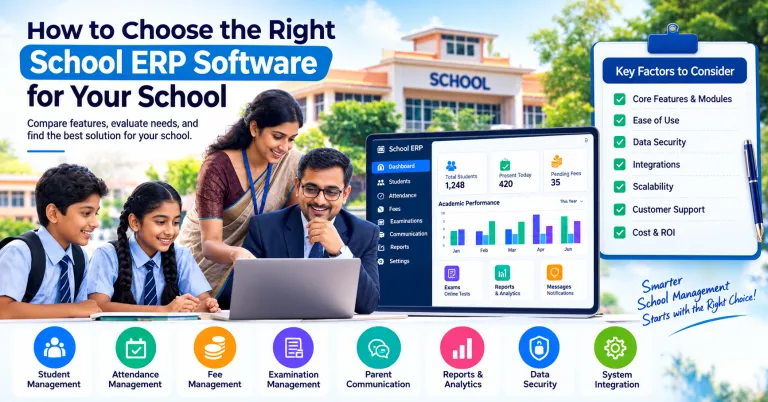
- Board fit: Ask for a demo of ICSE and ISC workflows: subject groups, internal assessment, project marks, candidate data export and CISCE-style report cards.
- Ease of use: Teachers and clerks should learn it quickly. Request a live demo with your own sample data.
- Mobile access: A parent app and teacher app are now baseline expectations.
- Customisation: Every school has its own fee structure, grading and workflow. The vendor should configure or build around yours.
- Data migration: Check how existing student, fee and staff data will be moved and who verifies it.
- Security and privacy: Ask about hosting, backups, access control and data ownership.
- Training and support: Look for onboarding, staff training and quick support during admissions and exam seasons.
- Integrations: Payment gateways, SMS or WhatsApp, biometric or RFID attendance, accounting software and your school website.
- Transparent pricing: Know what is included, what costs extra and what happens at renewal.
- Local presence: A vendor in your region can respond faster and understand your needs better.
What Affects School ERP Pricing?
Prices vary widely, so compare like with like. The main factors are:
- Number of students and campuses
- Modules selected (core versus transport, library, HR, payroll and so on)
- Mobile apps and white-labelling with your school's branding
- Customisation and integrations
- Hosting model (cloud subscription versus on-premise)
- Data migration, training and support level
Ask each vendor for a written quote listing setup fees, per-student or annual charges, support terms and extras, and compare the total cost over three years.
How to Implement a School ERP Without Disrupting Your Academic Year
- Set clear goals: Decide what to fix first, such as fees, attendance, internal assessment or parent communication.
- Form a small team: Include the principal or vice-principal, an accounts representative, an IT contact and a teacher.
- Clean your data: Fix duplicate students, missing dates of birth and incomplete guardian details before migration.
- Start with core modules: Student records, fees and attendance first; add exams and other modules in phases.
- Run a pilot: Test with one or two classes before a full rollout.
- Train staff and parents: Short, role-based sessions and simple guides work best.
- Pick a safe go-live date: Avoid the weeks around board registration deadlines and exams.
- Review after 30–60 days: Collect feedback and fine-tune settings.
Common Mistakes to Avoid
- Choosing on price alone, then paying for customisation later
- Skipping data cleaning before migration
- Ignoring teacher training
- Buying a generic system with no support for ICSE subject groups and internal assessment
- Not asking about data ownership and export rights
- Launching all modules at once instead of phasing
How RootPro Technologies Can Help
At RootPro Technologies, we build school management software as an all-in-one ERP covering student information, fee management with online payments, and attendance and timetables. Because every school works differently, we can also extend it through custom ERP and CRM development for your assessment and reporting needs, build parent and teacher mobile apps, add AI chatbots and workflow automation for admissions enquiries, and strengthen your school's website and online admissions presence with SEO and digital marketing.
Want to see how a school ERP could work for your ICSE or ISC school? Book a free consultation or chat with us on WhatsApp.
Frequently Asked Questions
What is school ERP software?
School ERP software is a unified platform that manages a school's admissions, student records, fees, attendance, exams, communication and reporting in one place.
Is school ERP software mandatory for ICSE schools?
CISCE does not endorse a specific product, but schools are responsible for accurate candidate registration, entry confirmation and record-keeping. An ERP is the most dependable way to manage this at scale.
Can a school ERP handle ICSE internal assessment and project marks?
Yes, if it has a configurable exam and assessment module. Ask your vendor to demonstrate how teachers enter internal assessment, project and practical marks and how coordinators track what is pending.
Does the ERP submit data directly to CISCE?
Schools submit and confirm candidate data on CISCE's CAREERS Portal themselves. A good ERP keeps your records accurate and exports clean data to make that process quicker and less error-prone.
Can one ERP support both ICSE and CBSE?
Yes, many platforms support multiple boards, which is useful for school groups. Confirm that board-specific formats and workflows are supported.
Should we choose cloud-based or on-premise software?
Most schools now prefer cloud-based ERP for lower upfront cost, automatic updates, remote access and backups. Choose based on your internet reliability and data policy.
How long does implementation take?
Many schools go live with core modules within a few weeks and add more in phases. The timeline depends on data quality and customisation.
How much does school ERP cost?
Pricing depends on student strength, modules, customisation, hosting and support. Request itemised quotes from several vendors and compare total cost over three years.
Key Takeaways
- ICSE and ISC schools face board deadlines, internal assessment, project work and subject-group complexity that generic software often misses.
- A school ERP centralises records, fees, attendance, exams and communication.
- Prioritise board fit, ease of use, mobile access, security, support and transparent pricing.
- Clean your data, implement in phases and train your staff.
- Pick a partner that can customise the system as your school grows.