How to Choose the Right School ERP Software for Your School
Learn how to choose school ERP software by comparing features, security, usability, integrations, cost, support, scalability, and your school's specific needs.
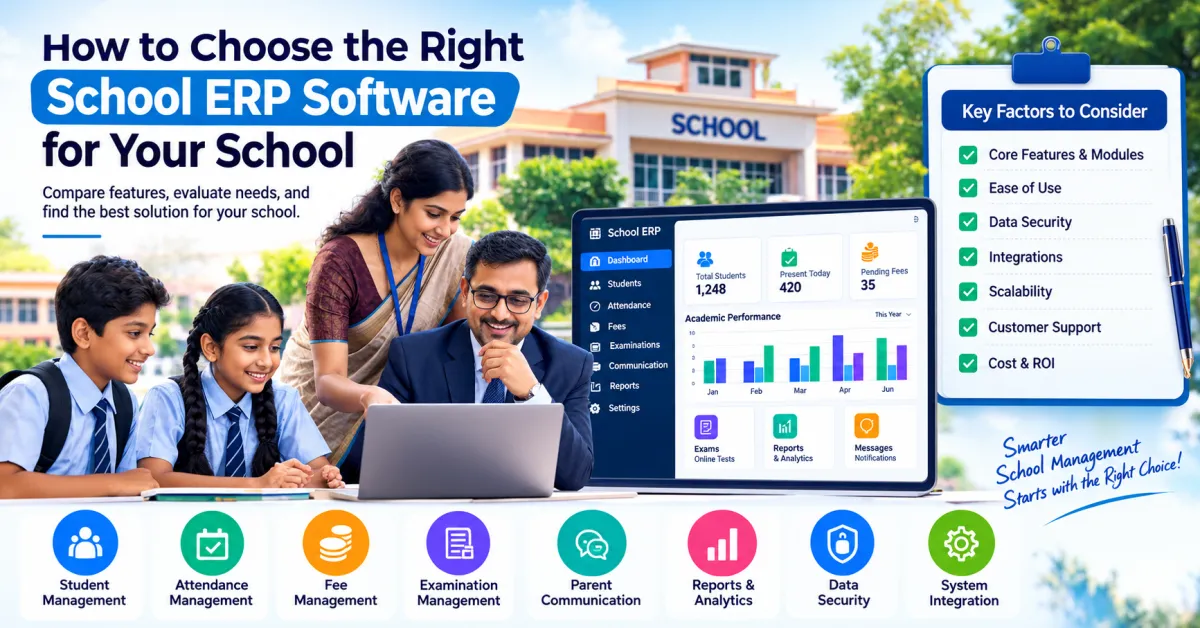
Choosing school ERP software is an important technology decision for any educational institution. The right platform can help organize student records, attendance, fees, examinations, communication, reporting, and other administrative activities. The wrong system, however, can create additional complexity for teachers and administrators.
Schools in India are increasingly moving from paper registers, spreadsheets, disconnected applications, and manual communication toward integrated digital management. But with many software options available, school owners and principals may find it difficult to determine which solution actually fits their institution.
The answer is not simply to choose the platform with the most features.
The better approach is to first understand your school's current challenges, identify the processes that need improvement, and then evaluate how to choose school ERP software based on usability, security, integration, scalability, support, and long-term requirements.
Why Choosing the Right School ERP Matters
A school ERP is not just another software application. Once implemented, it can become part of the school's daily workflow.
Teachers may use it for attendance and academic records. Administrators may use it for student information and fees. Management may use reports and analytics. Parents may interact with the system for communication, attendance, fees, or examination information.
This means the platform should work for different users rather than only looking impressive during a product demonstration.
A good evaluation should consider:
- What problems the software solves
- How easy it is to use
- Which modules are included
- How different modules work together
- How student data is protected
- Whether mobile access is available
- Whether the system can grow with the school
- What technical support is provided
- How implementation and training will be handled
Start by Identifying Your School's Problems
Before comparing ERP providers, identify the administrative processes that currently consume the most time.
For example, your school may have difficulties with:
- Maintaining student records
- Recording daily attendance
- Tracking fees
- Preparing examination results
- Communicating with parents
- Generating reports
- Managing documents
- Coordinating teachers and administrators
- Maintaining multiple spreadsheets
- Searching for historical information
Creating this list gives the school a practical basis for evaluating software.
Instead of asking:
"Which School ERP has the most features?"
ask:
"Which system can solve the problems our school actually has?"
This change in approach can make the selection process much more practical.
Understand What School ERP Software Includes
School ERP software can bring multiple school functions into a centralized digital environment.
- Student management
- Admissions
- Attendance
- Fees
- Examinations
- Academic records
- Staff management
- Parent communication
- Notifications
- Reports
- Analytics
- Document management
The available features vary between providers.
Schools should therefore request a detailed feature list and product demonstration rather than assuming that every ERP provides the same functionality.
For schools exploring digital student management, attendance, fee management, communication, and other school administration workflows, SchooLagam's school management platform can be one option to evaluate.
1. Evaluate Student Management Features
Student information is at the center of school administration.
A school ERP should make it possible to maintain structured student information rather than relying on multiple disconnected files.
Depending on the system, student management may include:
- Student profile
- Parent or guardian details
- Contact information
- Class and section
- Admission information
- Documents
- Attendance history
- Academic records
- Examination information
- Fee information
Ask the software provider how easily student records can be created, updated, searched, and exported.
Also check whether information entered in the student profile can be used by other modules.
For example:
Student Profile → Attendance → Fees → Examinations → Reports
This type of connected workflow can reduce unnecessary duplicate data entry.
2. Check Attendance Management
Attendance is one of the most frequently used school administration functions.
A school ERP should make attendance recording straightforward for teachers.
Look for features such as:
- Daily attendance
- Class-wise attendance
- Student attendance history
- Absence tracking
- Attendance reports
- Monthly reports
- Parent notifications
- Teacher access
The system should not make a simple daily activity more complicated.
Ask teachers to test the attendance workflow during the software demonstration.
If a teacher needs several unnecessary steps just to record attendance, usability may become a problem after implementation.
A school management platform such as SchooLagam can be explored when evaluating digital attendance and broader school administration requirements.
3. Examine Fee Management
Fee management is another important area for schools.
Manual fee management can involve registers, spreadsheets, receipts, payment records, and repeated follow-ups.
When evaluating an ERP, check whether it can organize:
- Fee structures
- Student-wise fees
- Payment records
- Pending fees
- Receipts
- Payment history
- Fee reports
- Reminders
If online payments are supported, also understand how payment information is recorded and reconciled.
Schools should not evaluate only the payment feature. The complete workflow from fee assignment to payment recording and reporting should be considered.
4. Look at Examination and Assessment Features
Examination management can involve multiple processes:
- Exam scheduling
- Subject management
- Question papers
- Student assessments
- Marks entry
- Evaluation
- Results
- Reports
Some School ERP systems provide examination modules as part of their larger platform.
However, a school that conducts frequent online examinations may require more specialized functionality.
In such cases, a dedicated online examination platform such as ExamOzhi can be evaluated alongside the school's core management system.
This is an important point: schools do not necessarily need every function to come from one application.
A core ERP can handle administration while a specialized assessment platform can handle online examinations, depending on the school's requirements.
5. Evaluate Parent Communication
Communication is one of the most visible parts of a school's digital experience.
Parents may need information about:
- Attendance
- Fees
- Examinations
- Results
- School events
- Announcements
- Important notices
When evaluating software, check how communication works for parents.
Ask:
- Is there a parent application?
- Are notifications supported?
- Can messages be targeted to specific classes?
- Can administrators send general announcements?
- Can attendance or fee information be communicated?
- Is communication history available?
The objective should be useful and timely communication rather than simply sending a large number of notifications.
6. Check Reports and Analytics
School management requires information for planning and monitoring.
A good ERP should make important information easier to understand through reports.
Useful reports may include:
- Attendance reports
- Fee reports
- Student reports
- Examination reports
- Academic performance
- Class-wise information
- Administrative reports
Ask whether reports can be filtered by:
- Class
- Section
- Date
- Student
- Academic year
- Department
Also check whether reports can be downloaded when required.
7. Prioritize Ease of Use
One of the most important factors is often overlooked:
Can teachers and administrators actually use the system comfortably?
A platform may have many features, but if employees find it difficult to navigate, adoption can become a challenge.
During a product demonstration, involve actual users.
Ask a teacher to test:
- Login
- Find a class
- Record attendance
- View a student
- Enter marks
- Generate a report
Ask an administrator to test:
- Student registration
- Fee management
- Communication
- Reports
- User management
This gives a better understanding of real-world usability than simply watching a sales presentation.
8. Check Mobile Application Support
School administration is no longer limited to a desktop computer.
Teachers, administrators, principals, and parents may use smartphones regularly.
When comparing platforms, check whether the system offers:
- Mobile-friendly web access
- Android application
- iOS application
- Parent application
- Teacher access
- Administrator access
- Push notifications
Mobile support can be particularly useful for parents who primarily access school information through their phones.
However, mobile availability alone should not determine your decision. The quality and usefulness of the mobile experience matter more than simply having an app.
9. Evaluate Data Security
Schools handle sensitive information.
This may include:
- Student information
- Parent details
- Contact numbers
- Academic records
- Attendance
- Examination results
- Fee information
- Staff information
Security should therefore be one of the first questions asked during software evaluation.
Ask the provider about:
- User authentication
- Password policies
- Role-based access
- Data backups
- Access controls
- Data protection
- Data recovery
- System availability
- Administrative permissions
For example, a teacher may need access to student attendance but may not need access to financial information.
Role-based access can help schools provide different levels of access to different users.
10. Understand User Roles and Permissions
A school ERP may have many types of users.
These could include:
- Super administrators
- Principals
- Teachers
- Accountants
- Office staff
- Students
- Parents
Each user should have appropriate access.
For example:
| User | Possible Access |
|---|---|
| Principal | Management reports and school information |
| Teacher | Attendance and academic information |
| Accountant | Fee and financial information |
| Parent | Child-related information |
| Student | Student-specific academic information |
| Administrator | Operational management |
The exact permissions depend on the school's policies and the software.
Before implementation, schools should define who can access which categories of information.
11. Check Integration Capabilities
Schools often already use other software.
For example:
- Accounting systems
- Payment gateways
- Learning platforms
- Online examination tools
- Communication systems
- Biometric attendance
- Websites
Ask whether the ERP can integrate with existing systems.
Important questions include:
- Does the platform provide APIs?
- Can data be imported?
- Can data be exported?
- Can third-party systems be connected?
- Can custom integrations be developed?
Integration becomes especially important when a school does not want to replace every existing application.
12. Consider AI and Automation
AI is increasingly becoming part of software and digital transformation.
Depending on the platform, AI may support areas such as:
- Data analysis
- Report generation
- Document processing
- Communication assistance
- Workflow automation
- Administrative support
However, schools should not select software simply because it includes an "AI" label.
Ask:
- What does the AI actually do?
- What data does it process?
- Is human review available?
- How is sensitive information handled?
- Can administrators control its use?
AI should support staff rather than remove appropriate human oversight.
Schools or organizations looking for customized AI, automation, software development, or digital transformation can explore RootPro Technologies to understand possible technology approaches.
13. Compare Automation Features
Automation can reduce repetitive administrative tasks.
For example:
Manual process
Teacher records attendance → administrator collects information → spreadsheet is updated → report is prepared.
Automated digital workflow
Teacher records attendance → information is stored digitally → authorized users access the report.
Similar improvements may be possible in:
- Fee reminders
- Notifications
- Reports
- Examination workflows
- Student records
- Parent communication
When comparing systems, ask which tasks can actually be automated.
Do not assume that every feature marketed as "automation" works without human involvement.
14. Consider Scalability
Your school's requirements today may not be the same in five years.
The institution may:
- Add more students
- Add new classes
- Open another campus
- Increase staff
- Introduce online assessments
- Add new administrative departments
The ERP should be able to support reasonable future growth.
Ask:
- Can additional users be added?
- Can new classes be created?
- Can another campus be supported?
- Can new modules be introduced?
- Can reports scale with larger datasets?
- Can integrations be added later?
Scalability should be considered before purchasing rather than after the school has outgrown its system.
15. Evaluate Implementation and Training
Buying software does not automatically complete digital transformation.
Implementation may involve:
- Understanding existing workflows
- Cleaning data
- Preparing student records
- Importing information
- Creating users
- Setting permissions
- Training staff
- Testing workflows
- Launching the system
- Collecting feedback
Staff training is especially important.
Teachers and administrators should understand not only how to use the software, but also why the new workflow is being introduced.
16. Check Technical Support
Technical support becomes important when a school depends on software for daily operations.
Ask:
- What support channels are available?
- Is support available during school working hours?
- How are technical problems reported?
- How quickly are issues normally addressed?
- Is training included?
- Is documentation available?
- Are updates provided?
Do not evaluate support only based on promises during the sales process. Ask for a clear understanding of the support process.
17. Understand Pricing and Total Cost
Software pricing can be structured in different ways.
Possible models include:
- Monthly subscription
- Annual subscription
- Per-student pricing
- Per-user pricing
- Module-based pricing
- One-time licensing
- Custom development pricing
Do not compare only the initial price.
Consider the total cost of ownership.
This may include:
- Software subscription
- Setup
- Data migration
- Training
- Customization
- Integrations
- Mobile applications
- Support
- Additional modules
A lower initial price does not necessarily mean a lower overall cost, and a higher price does not automatically mean better suitability.
18. Standard ERP vs Custom Software
Most schools can begin by evaluating existing ERP platforms.
A standard solution may work well when the school has common requirements such as:
- Attendance
- Student management
- Fees
- Communication
- Examination management
- Reports
Custom software may be appropriate when an organization has highly specific workflows.
For example:
- Unique admission processes
- Special reporting
- Existing legacy systems
- Complex integrations
- Custom dashboards
- Special examination workflows
Custom development requires additional planning, development, testing, maintenance, and support.
For organizations evaluating software development and digital transformation solutions, custom technology can be considered when standard software does not sufficiently match the organization's requirements.
19. Consider a Specialized Examination Platform
A school ERP does not always need to perform every possible educational function.
For online examinations, a specialized platform may offer deeper functionality around:
- Online tests
- Question papers
- Digital assessments
- Question management
- Student assessments
- Evaluation
- Exam management
Schools conducting regular digital examinations can explore ExamOzhi's online assessment platform alongside their main school management system.
This approach allows schools to choose technology according to the function rather than forcing every activity into one application.
20. Create a School ERP Evaluation Checklist
Before making a final decision, create a checklist.
Core administration
- Student management
- Admission management
- Attendance
- Fees
- Examination
- Reports
- Parent communication
Technology
- Mobile access
- Data backup
- Security
- User permissions
- API/integration support
- Data export
- Scalability
Implementation
- Data migration
- Staff training
- Testing
- Technical support
- Documentation
Financial
- Subscription cost
- Setup cost
- Customization cost
- Integration cost
- Support cost
- Additional module cost
This checklist can help school management compare different platforms more objectively.
21. Ask for a Real Product Demonstration
Never select school ERP software based only on screenshots or a feature list.
Ask the provider to demonstrate real workflows.
For example:
Teacher workflow
Login → Select class → Record attendance → Enter marks → Generate report
Administrator workflow
Login → Add student → Manage fees → Send notification → Generate report
Parent workflow
Login → View attendance → Check fees → View examination information → Read announcements
This allows the school to understand how the software will actually be used.
22. Run a Pilot Before Full Implementation
If possible, start with a small group.
For example:
- One class
- One department
- A limited number of teachers
- A selected administrative workflow
Use the pilot to identify:
- Usability problems
- Training requirements
- Data issues
- Technical problems
- Workflow changes
Then expand the implementation gradually.
This can reduce disruption compared with changing every school process at the same time.
23. Think About the Different Stakeholders
The school ERP should work for multiple groups.
| Stakeholder | What They May Need |
|---|---|
| School Management | Reports, analytics, overall visibility |
| Principal | Administration and academic monitoring |
| Teachers | Attendance, marks, student records |
| Accountants | Fees and financial records |
| Administrators | Student and operational management |
| Students | Academic and examination information |
| Parents | Attendance, fees, results and communication |
A successful implementation considers all of these users rather than focusing only on the administrator.
24. Before vs After Digital Implementation
| Before ERP | After ERP |
|---|---|
| Paper records | Digital records |
| Multiple spreadsheets | Centralized information |
| Manual attendance | Digital attendance |
| Manual fee tracking | Structured fee management |
| Separate reports | Centralized reporting |
| Physical communication | Digital communication |
| Manual assessment processes | Digital assessment workflows |
| Repeated data entry | Reduced duplication |
The exact improvement depends on the platform, implementation quality, staff adoption, and existing processes.
25. Common Mistakes to Avoid
Schools can avoid several common mistakes during ERP selection.
Choosing only because of price
The cheapest option may not meet the school's operational requirements.
Choosing based only on features
A long feature list does not guarantee usability.
Ignoring teachers
Teachers are often among the most frequent users of the system.
Ignoring security
Student and financial data require appropriate protection.
Not checking integrations
A system that cannot connect with existing applications may create additional work.
Skipping training
Even good software can be difficult to adopt without proper training.
Trying to change everything immediately
A gradual rollout may be easier for staff.
Not testing real workflows
Always test actual school processes before making a final decision.
26. A Practical 7-Step Selection Process
Schools can follow this simple process:
Step 1: Identify problems
List the current administrative difficulties.
Step 2: Define requirements
Separate essential and optional features.
Step 3: Shortlist platforms
Compare several relevant solutions.
Step 4: Request demonstrations
Ask vendors to demonstrate real workflows.
Step 5: Test with staff
Allow teachers and administrators to try the system.
Step 6: Review security and cost
Understand data protection, support, pricing, and implementation.
Step 7: Start with a pilot
Test the system with a limited group before wider deployment.
Conclusion
Choosing school ERP software is an important decision because the system can become part of a school's everyday operations.
The right selection process should go beyond comparing feature lists or software prices.
Schools should examine:
- Student management
- Attendance
- Fees
- Examinations
- Parent communication
- Reports
- Mobile access
- Security
- User permissions
- Integrations
- Automation
- AI capabilities
- Scalability
- Training
- Support
- Total cost
The most suitable platform will depend on the school's size, existing processes, budget, staff capabilities, technology requirements, and future plans.
Schools exploring digital school administration can evaluate SchooLagam for school management and ERP-related requirements. Organizations looking for customized software, AI, automation, or digital transformation can explore RootPro Technologies. Schools that require dedicated online examinations and digital assessments can also evaluate ExamOzhi.
The objective should not be to buy the software with the longest feature list. The objective should be to choose technology that solves real problems, supports the people who use it, protects important information, and can grow with the institution.
Frequently Asked Questions
1. How do I choose the right School ERP software?
Start by identifying your school's current administrative problems and then define the features you actually need. Compare student management, attendance, fees, examinations, communication, reports, mobile access, security, integrations, scalability, support, and total cost. Request product demonstrations and allow teachers and administrators to test real workflows before making a final decision.
2. What features should I look for in school ERP software?
Important features can include student management, attendance, fee management, examination management, parent communication, reports, analytics, user permissions, mobile access, data backup, and integrations. The exact requirements depend on the school. Rather than choosing a system because it has the largest feature list, evaluate whether its features solve your school's specific administrative problems.
3. How much does School ERP software cost?
School ERP pricing varies depending on the provider, number of students or users, modules, implementation requirements, customization, support, and pricing model. Some platforms use subscriptions, while others may use per-student or module-based pricing. Schools should calculate total cost rather than comparing only the initial subscription price.
4. Is School ERP software suitable for small schools?
Yes, a digital management system can be useful for smaller schools, but the required functionality may be different from that of a large institution. A smaller school may prioritize student records, attendance, fees, and communication, while a larger school may require more extensive integrations, analytics, multiple user roles, and broader administrative modules.
5. Should schools choose one ERP for everything?
Not necessarily. A school can use a central ERP for administration while using specialized platforms for specific requirements. For example, a school may use its ERP for student management and fees while using a dedicated online examination platform for digital assessments. Integration capabilities should be evaluated when using multiple systems.
6. Is AI important when choosing school ERP software?
AI can be useful for specific purposes such as data analysis, document processing, reporting, and workflow assistance. However, schools should first evaluate their actual requirements. AI should not be selected simply because it is a current technology trend. Schools should also consider privacy, security, accuracy, transparency, and human oversight.
7. How can schools ensure ERP data is secure?
Schools should ask providers about authentication, role-based permissions, data backups, access controls, password policies, data protection, recovery procedures, and administrative access. Schools should also establish internal policies defining which employees can access different categories of information.
8. Can schools customize their ERP software?
Customization depends on the platform. Some systems provide configuration options, while others may support APIs or custom development. If an institution has unique workflows that cannot be handled by standard software, it can explore software development and digital transformation solutions to evaluate possible customization or integration approaches.
Transform Your School with Smarter Digital Solutions
Choosing the right school technology starts with understanding your institution's actual needs.
For schools looking to organize student management, attendance, fees, examinations, communication, reports, and other administrative activities, explore SchooLagam and evaluate its digital school management capabilities according to your requirements.
For organizations looking for software development, AI solutions, automation, custom technology, and digital transformation services, explore RootPro Technologies.
For schools and educational institutions that need online examinations and digital assessments, ExamOzhi can be explored as a dedicated examination and assessment platform.
Before making a decision, identify the administrative processes that create the most work, define your essential requirements, test shortlisted platforms, involve teachers and administrators, review security and support, and consider how the system can support your school's future needs.
A thoughtful technology selection process can help schools build a more organized and sustainable digital administration environment