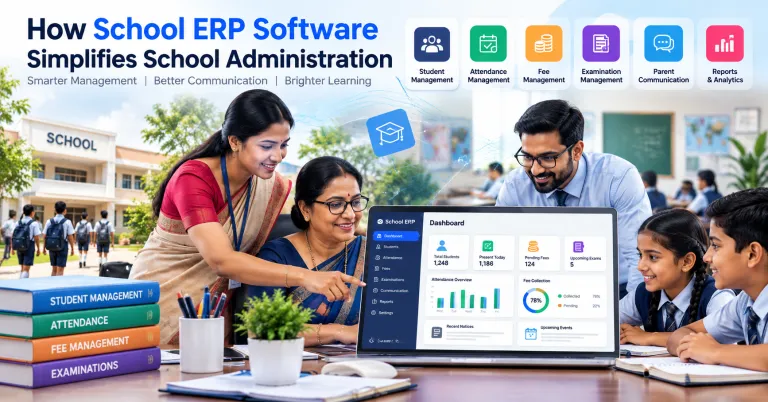
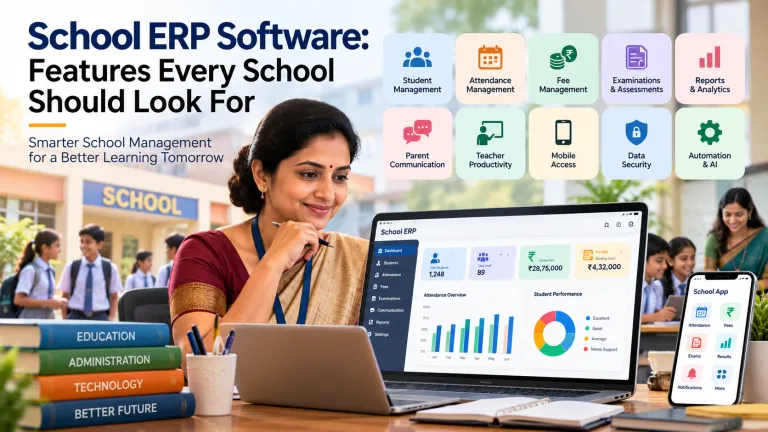
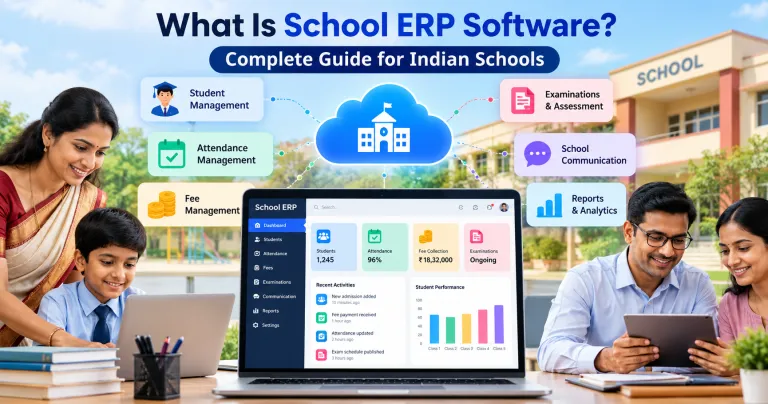
School ERP vs School Management Software: What's the Difference?
Understand the difference between School ERP and school management software, their features, benefits, use cases, and how to choose the right solution for your school.
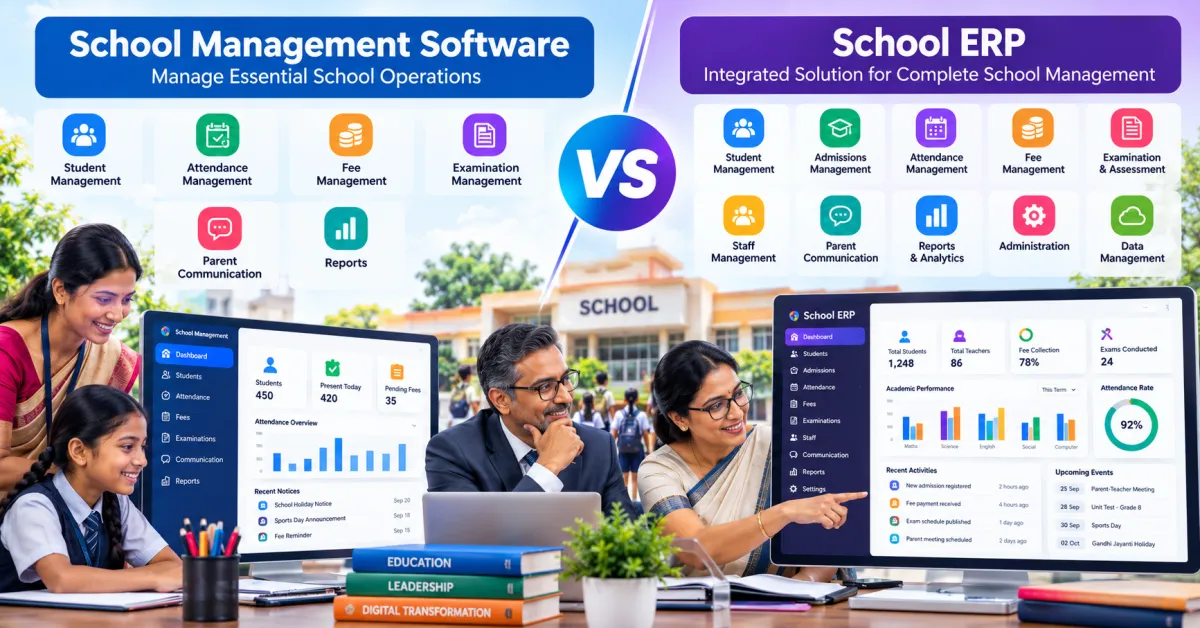
Choosing the right technology for school administration can be confusing. Schools may come across terms such as School ERP, school management software, student management system, education management platform, and digital school management software. Although these terms are sometimes used interchangeably, they can describe solutions with different scopes and purposes.
A school may need a simple system for attendance and student records, while another institution may require an integrated platform covering admissions, fees, attendance, examinations, communication, academic records, reporting, and administration.
This makes understanding the difference between School ERP vs School Management Software important for school owners, principals, administrators, teachers, and education professionals in India.
The right choice should not be based simply on which product has more features. Schools should first understand their current administrative challenges, identify the processes they want to digitize, and then select technology that matches their operational requirements.
What Is School Management Software?
School management software is a digital application designed to help educational institutions manage specific or multiple school-related activities.
Depending on the platform, it may include features such as:
- Student information management
- Attendance management
- Fee management
- Parent communication
- Teacher management
- Examination management
- Academic records
- Notifications
- Reports
- Document management
The scope of school management software can vary significantly between providers.
Some platforms focus on one or two areas, while others provide a broader collection of administrative features.
For example, schools looking for a structured digital environment for everyday administration can explore SchooLagam and evaluate whether its school management and ERP capabilities match their operational requirements.
What Is School ERP Software?
School ERP stands for School Enterprise Resource Planning.
The basic idea behind an ERP system is integration.
Instead of managing different administrative activities through completely separate systems, an ERP attempts to connect multiple functions within a centralized platform.
A school ERP may bring together areas such as:
- Student management
- Admissions
- Attendance
- Fees
- Examinations
- Academic records
- Staff management
- Parent communication
- Reports and analytics
- Notifications
- Administration
The exact modules differ between platforms.
The important distinction is that an ERP generally emphasizes integration between different functions, whereas school management software may focus on managing particular school processes without necessarily connecting every department or workflow.
School ERP vs School Management Software: The Basic Difference
The easiest way to understand the difference is to think about scope and integration.
| Area | School Management Software | School ERP |
|---|---|---|
| Main purpose | Manage school activities | Integrate multiple school operations |
| Scope | Can be focused or broad | Usually broader |
| Student management | Common | Common |
| Attendance | Often available | Usually integrated |
| Fee management | Often available | Usually integrated |
| Examinations | Depends on platform | Often included |
| Parent communication | May be included | Often connected with other modules |
| Reports | Depends on system | Usually broader |
| Department integration | May be limited | Central focus |
| Data centralization | Varies | Core objective |
| Custom workflows | Depends on provider | Often available depending on platform |
| Suitable for | Specific or general requirements | Institutions seeking integrated management |
This table should not be treated as a strict industry definition because software providers use these terms differently. The actual features and architecture of each platform matter more than the product label.
Why Schools Often Confuse the Two
One reason for the confusion is that modern school management software can include many ERP-like features.
For example, a platform may offer:
- Student records
- Attendance
- Fees
- Exams
- Communication
- Reports
At that point, it may appear similar to a School ERP.
Similarly, an ERP platform may provide modules that look like ordinary school management software.
Therefore, schools should look beyond the name and ask:
How well does the system connect different school processes?
That question is often more useful than asking whether the product is called an ERP or management software.
Key Features to Compare
When evaluating School ERP vs school management software, schools should compare the actual functionality available.
1. Student Management
Student information is at the centre of many school processes.
A digital platform can help manage:
- Student profiles
- Parent information
- Class and section
- Contact details
- Admission information
- Documents
- Academic information
- Attendance history
- Examination records
With an integrated system, information entered in one module may be available to other authorized modules without requiring repeated data entry.
A school looking for broader digital student and administrative management can explore SchooLagam's school management platform as one option to evaluate.
2. Attendance Management
Attendance is one of the most frequently used administrative processes in a school.
Traditional attendance management can involve registers, spreadsheets, manual calculations, and separate reporting.
Digital attendance management can provide:
- Daily attendance
- Class-wise attendance
- Student attendance history
- Absence records
- Attendance reports
- Parent notifications where supported
The difference becomes more significant when attendance information needs to connect with other student records.
3. Fee Management
Fee management is another important area.
A school may need to manage:
- Fee structures
- Student payment records
- Pending fees
- Receipts
- Payment history
- Reports
- Reminders
A management system can help organize these records digitally.
An integrated ERP can potentially connect fee information with student records and administrative reporting.
Schools should always check the exact payment and accounting capabilities of the platform before implementation.
4. Examination Management
Examinations can involve several administrative activities:
- Exam schedules
- Question papers
- Student assessments
- Marks
- Evaluation
- Results
- Reports
A School ERP may provide examination-related modules as part of a broader platform.
However, schools that specifically need online testing may also consider a specialized online examination platform.
ExamOzhi can be explored in the context of digital examinations and assessments, particularly when an institution wants a dedicated solution for online tests and assessment workflows.
5. Parent Communication
Communication is another area where digital systems can reduce manual work.
Schools may need to communicate:
- Attendance updates
- Fee information
- Examination schedules
- Results
- Announcements
- Events
- Notices
A school management platform may provide communication tools, while an ERP can potentially connect communication with other school modules.
The important consideration is whether the communication system fits the school's existing workflow.
School ERP vs School Management Software: Integration
Integration is one of the most important differences to examine.
Imagine a school where the same student's information exists separately in:
- Admission records
- Attendance register
- Fee spreadsheet
- Examination records
- Parent communication database
If these systems are disconnected, staff may have to enter or verify the same information multiple times.
An integrated system attempts to reduce this duplication.
For example:
Student record → Attendance → Fees → Examination → Reports → Parent communication
When these areas are connected appropriately, information can move through the organization's workflows more efficiently.
This is one of the main reasons schools consider ERP-style systems when their administrative requirements become more complex.
Manual Processes vs Integrated Digital Processes
| Manual / Disconnected Process | Integrated Digital Process |
|---|---|
| Multiple spreadsheets | Centralized system |
| Repeated data entry | Reduced duplication |
| Paper attendance | Digital attendance |
| Separate fee records | Integrated fee records |
| Manual report preparation | System-generated reports |
| Physical notices | Digital communication |
| Separate examination records | Connected assessment information |
| Difficult information search | Centralized access |
| More administrative coordination | Structured workflows |
The goal is not to eliminate every manual task. Some school processes still require human review and decision-making.
The goal is to reduce unnecessary administrative repetition.
Which One Does a School Need?
There is no single answer for every institution.
The right solution depends on the school's size, number of students, administrative structure, budget, existing systems, and future requirements.
School management software may be suitable when:
- The school needs specific administrative modules.
- The existing processes are relatively simple.
- The institution wants to digitize selected workflows.
- Staff need a straightforward system.
- A full ERP would provide more functionality than necessary.
A School ERP may be appropriate when:
- Multiple departments need connected information.
- The school wants centralized data.
- Several administrative processes need automation.
- Management requires broader reports.
- Student, fee, attendance, examination, and communication workflows need integration.
- The institution expects its technology requirements to grow.
The key is to select software according to actual requirements rather than selecting a product simply because it is marketed as an ERP.
Comparison by School Type
| School Requirement | Possible Technology Approach |
|---|---|
| Small school with basic records | Basic school management software |
| School needing digital attendance | Attendance-focused management system |
| School needing fees and attendance | Broader school management platform |
| School needing connected departments | School ERP |
| Large institution with multiple workflows | Integrated ERP approach |
| School needing online tests | Dedicated digital assessment platform |
| Institution needing custom workflows | Custom software or integrated solution |
These are general examples rather than strict rules. A small school may also need an ERP, while a larger school may use several specialized systems.
Benefits for School Management
School owners and principals generally need visibility into the institution's operations.
A centralized system can make it easier to access relevant information related to:
- Student enrolment
- Attendance
- Fees
- Examinations
- Academic performance
- Communication
- Administrative reports
Instead of requesting information from several departments, authorized management users can access information through a structured system.
This can support more organized administrative planning.
Benefits for Teachers
Teachers often interact with school systems every day.
A well-designed platform can help reduce repetitive administrative activities related to:
- Attendance
- Marks
- Student records
- Examination information
- Reports
- Communication
The purpose of automation should be to support teachers, not add another complicated system to their workload.
Ease of use is therefore an important factor when evaluating software.
Benefits for Students
Students can benefit from better-organized administrative processes.
Depending on the platform, students may gain access to:
- Examination information
- Assessment results
- Attendance information
- Academic updates
- Notifications
The specific student-facing features depend on the system.
Benefits for Parents
Parents often need timely access to information about their children.
Digital school management can help provide information related to:
- Attendance
- Fees
- Examinations
- Results
- Announcements
- School activities
A good communication workflow should provide useful information without overwhelming parents with unnecessary notifications.
School ERP, Mobile Applications and Accessibility
Modern school technology is increasingly designed to work across devices.
Teachers and administrators may need to access information using computers, tablets, or smartphones.
Parents may primarily interact with a school through a mobile application.
When evaluating a platform, schools should check:
- Mobile responsiveness
- Dedicated mobile applications
- Parent access
- Teacher access
- Administrator access
- Notifications
- Device compatibility
Mobile accessibility can be particularly useful for staff who are not always sitting at a single office computer.
Data Management and Security
Schools handle sensitive information.
This can include:
- Student details
- Parent contact information
- Academic records
- Attendance
- Examination results
- Financial information
- Staff information
Therefore, software selection should include a review of security and data management.
Schools should ask vendors about:
- User authentication
- Role-based permissions
- Data backups
- Access controls
- Password policies
- Data protection
- System availability
- Data export
- Administrative controls
For example, a teacher may need access to attendance and academic information but may not require access to financial records.
Role-based access can help organizations manage such differences.
AI and School Management Technology
AI is becoming increasingly relevant to software development and digital transformation.
In education administration, AI can potentially support:
- Report analysis
- Document processing
- Communication assistance
- Workflow automation
- Data analysis
- Administrative support
- Personalized information
However, AI should be introduced carefully.
Schools should consider:
- Data privacy
- Accuracy
- Human review
- Security
- Appropriate use of student information
AI should support responsible decision-making rather than automatically making important decisions about students.
Organizations that require customized software, AI solutions, or technology implementation can explore RootPro Technologies for software development and digital transformation requirements.
Standard Software vs Custom Software
Another important consideration is whether the school needs an existing platform or a customized system.
Standard software
A standard product may be suitable when the school's requirements are common, such as:
- Attendance
- Student management
- Fees
- Communication
- Examination management
- Reports
Custom software
Custom development may be considered when a school or education organization has unique workflows.
Examples could include:
- Custom admission processes
- Special reporting requirements
- Integration with existing applications
- Custom dashboards
- Specialized assessment workflows
- Unique organizational processes
Custom development can provide flexibility, but it also requires planning, development, testing, maintenance, and ongoing technical support.
Companies working in education technology and software development can help organizations evaluate whether customization or an existing platform better fits their requirements.
Where Online Examination Platforms Fit
A common question is whether examination functionality should be part of a School ERP or handled separately.
The answer depends on the school's requirements.
A general school ERP may provide examination administration as one of its modules.
A specialized online examination platform can focus more deeply on:
- Online tests
- Question management
- Digital assessments
- Student assessments
- Automated evaluation workflows
- Exam management
For institutions that require dedicated online assessment capabilities, ExamOzhi can be evaluated as a specialized digital examination solution.
This also demonstrates why schools do not necessarily need every function to come from a single software product.
One Platform vs Multiple Connected Platforms
Schools sometimes assume that every activity must be managed by one platform.
That is not always necessary.
A school could potentially use:
Option 1: Single integrated platform
Student management + Attendance + Fees + Exams + Communication + Reports
Option 2: Core ERP + specialized systems
School ERP + Dedicated online examination platform + Other integrations
Option 3: Custom technology ecosystem
Custom software + AI tools + Third-party applications + Specialized assessment systems
The right approach depends on the institution's requirements, technical capabilities, budget, and integration needs.
How to Choose the Right Solution
Before selecting a platform, schools should follow a structured evaluation process.
Step 1: List your current problems
Identify where staff spend the most time.
For example:
- Manual attendance
- Fee tracking
- Student records
- Parent communication
- Examination administration
- Report preparation
Step 2: Separate essential and optional features
Create two lists.
Essential features
- Student management
- Attendance
- Communication
- Fees
- Reports
Optional features
- AI tools
- Advanced analytics
- Custom integrations
- Online examinations
- Advanced mobile features
Step 3: Compare platforms
Ask vendors to demonstrate the actual workflows rather than simply showing a feature list.
Step 4: Check security
Understand how student and administrative data is stored, accessed, backed up, and protected.
Step 5: Evaluate usability
Teachers and administrative staff should be able to use the system without unnecessary complexity.
Step 6: Consider scalability
The software should be able to support the school's future requirements if the institution expands.
Step 7: Plan implementation
Implementation may require:
- Data cleaning
- Data migration
- User creation
- Permission setup
- Staff training
- Testing
- Gradual rollout
- Feedback
- Process improvement
Questions Schools Should Ask Software Providers
Before purchasing a School ERP or school management platform, ask:
- What modules are included?
- Can modules be enabled separately?
- How is student data protected?
- Are user permissions available?
- Is mobile access supported?
- How are backups handled?
- Can existing data be imported?
- Can reports be customized?
- Is technical support available?
- Can the system integrate with other platforms?
- Can additional features be developed?
- What happens if the school grows?
- What training is provided?
- What are the implementation requirements?
These questions can help schools evaluate the actual product rather than relying only on marketing descriptions.
A Practical Decision Framework
Use the following framework when comparing solutions.
| Requirement | School Management Software | School ERP | Specialized Platform |
|---|---|---|---|
| Student records | ✓ | ✓ | Depends |
| Attendance | ✓ | ✓ | Depends |
| Fee management | ✓ | ✓ | Depends |
| Parent communication | ✓ | ✓ | Depends |
| Multiple department integration | May vary | Stronger focus | Usually limited |
| Online examinations | Depends | Depends | Strong focus |
| Custom development | Depends | Depends | Depends |
| Advanced analytics | Depends | Often available | Depends |
| Best use case | Specific/general school administration | Integrated school operations | Specific function |
| Requirement | School Management Software | School ERP | Specialized Platform |
|---|---|---|---|
| Student records | ✓ | ✓ | Depends |
| Attendance | ✓ | ✓ | Depends |
| Fee management | ✓ | ✓ | Depends |
| Parent communication | ✓ | ✓ | Depends |
| Multiple department integration | May vary | Stronger focus | Usually limited |
| Online examinations | Depends | Depends | Strong focus |
| Custom development | Depends | Depends | Depends |
| Advanced analytics | Depends | Often available | Depends |
| Best use case | Specific/general school administration | Integrated school operations | Specific function |
Again, these categories overlap. The actual product capabilities should always be checked before making a decision.
The Future of School Management Technology
The distinction between School ERP and school management software may become less important as platforms continue to evolve.
Modern education technology is increasingly moving toward connected ecosystems where:
- School management
- AI
- Analytics
- Mobile applications
- Digital assessments
- Communication
- Cloud infrastructure
- Automation
can work together.
Instead of asking only:
“Is this an ERP or school management software?”
schools may increasingly ask:
“Can this technology solve our administrative problems and integrate with the systems we already use?”
That is a more practical way to evaluate digital transformation.
Conclusion
The difference between School ERP vs School Management Software is mainly related to scope, integration, and the way different school processes are connected.
School management software can help schools digitize important activities such as student management, attendance, fees, communication, and examinations.
A School ERP generally focuses on bringing multiple administrative functions together within a more integrated environment.
However, the terminology is not standardized across every software provider. A product called “school management software” may offer extensive ERP-like capabilities, while an ERP may have a narrower feature set.
For this reason, schools should evaluate the actual features, workflows, integrations, security, usability, scalability, and support provided by each solution.
Schools exploring broader digital school management can consider platforms such as SchooLagam. Institutions requiring custom software development, AI, automation, or digital transformation can explore RootPro Technologies. Schools looking specifically for online examinations and digital assessments can evaluate ExamOzhi.
The right technology is ultimately the one that fits the school's real operational requirements, staff capabilities, data needs, and long-term digital strategy.
Frequently Asked Questions
1. What is the difference between School ERP and school management software?
School management software can refer to a system that manages one or more school activities, such as attendance, student records, fees, or communication. A School ERP generally emphasizes integrating multiple administrative functions into a centralized platform. However, terminology varies between providers. Schools should compare actual features, integrations, workflows, security, and scalability rather than relying only on whether a product is called an ERP or school management software.
2. Is School ERP better than school management software?
There is no universal answer because schools have different requirements. A school with straightforward administrative needs may require only selected management features, while an institution with multiple departments and connected workflows may need broader ERP capabilities. The important consideration is whether the technology solves the school's actual problems, is easy for staff to use, provides appropriate security, and can support future requirements.
3. Can school management software handle attendance and fees?
Many school management platforms include attendance and fee-related features. These may include attendance records, fee structures, payment records, receipts, reminders, and reports. The exact functionality varies by provider. Schools should request a product demonstration and confirm that the platform supports their specific attendance and fee workflows before implementation.
4. Does a School ERP include examination management?
Many School ERP platforms include examination-related modules, but the depth of functionality varies. Some schools may need only schedules, marks, and result management, while others may require online tests, question banks, automated evaluation, and digital assessments. Institutions that specifically need online examinations can also evaluate specialized platforms such as ExamOzhi.
5. Can School ERP software integrate with other applications?
Integration capabilities vary between software platforms. Some systems may provide APIs or integration options that allow them to communicate with other applications. Schools should ask about available integrations before implementation, especially if they already use separate accounting, payment, learning, examination, or communication systems.
6. Is custom school software better than ready-made software?
The choice depends on the school's requirements. Ready-made software can be suitable when the institution's needs are covered by existing features. Custom software may be useful when the organization has unique workflows or requires specialized integrations. Custom development also involves additional development, testing, maintenance, and support considerations.
7. How can schools choose the right ERP software?
Schools should first identify their administrative challenges and then create a list of essential requirements. They should compare functionality, security, usability, mobile access, integrations, reporting, support, scalability, implementation requirements, and total cost. A practical product demonstration using real school workflows can be more useful than comparing feature lists alone.
8. Can AI be used with school management software?
Yes, AI can potentially support areas such as data analysis, document processing, communication assistance, reporting, and workflow automation. However, schools should consider privacy, security, accuracy, and human oversight before implementing AI features. Organizations interested in customized AI and digital transformation can explore technology development services from RootPro Technologies.
Transform Your School with Smarter Digital Solutions
Choosing the right education technology does not have to begin with choosing between labels such as “ERP” and “school management software.” It should begin with understanding your school's actual needs.
For schools looking for digital tools for student management, attendance, fees, communication, examinations, reporting, and school administration, explore SchooLagam and review the capabilities that match your institution's requirements.
For organizations looking for software development, AI solutions, automation, custom technology, and digital transformation, explore RootPro Technologies and its technology solutions.
For educational institutions looking to conduct online examinations and digital assessments, explore ExamOzhi to understand how a dedicated examination platform can fit into your assessment workflow.
Start by identifying the processes that take the most administrative time, then evaluate the technology that can address those requirements in a practical, secure, and scalable way.