School ERP Software for State Board Schools
State board schools handle regional language instruction, state portal data entry, RTE admissions, welfare schemes and tight budgets, often with limited staff. This complete guide explains what school ERP software is, what makes state board schools different, which features matter most, how to choose a vendor, what…
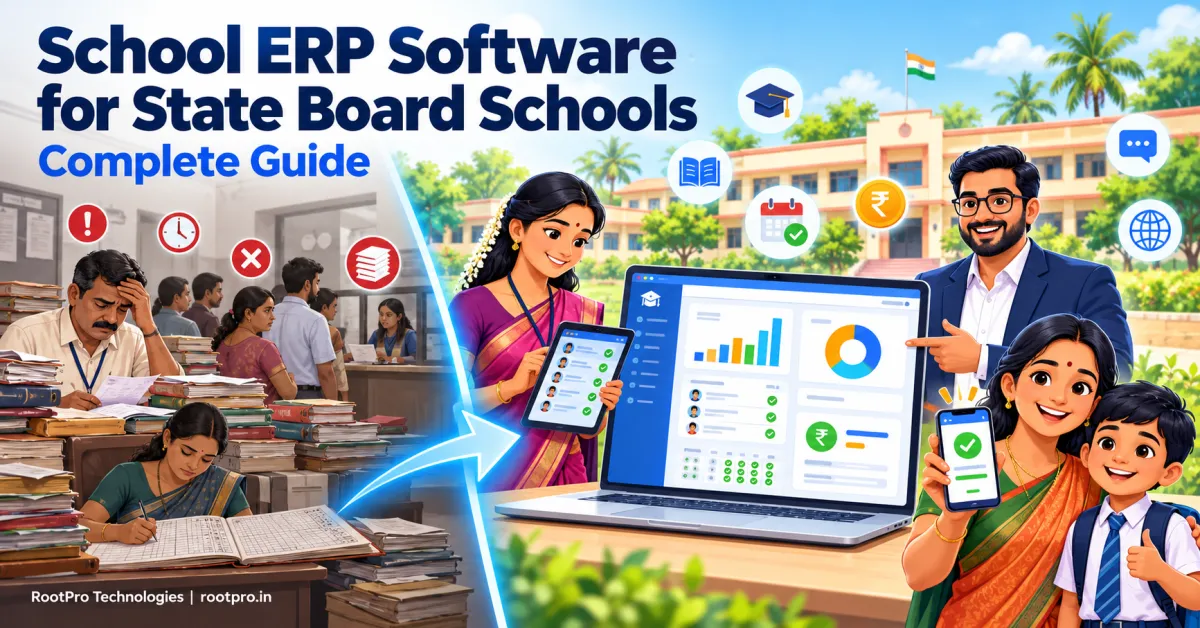
School ERP Software for State Board Schools: Complete Guide
School ERP software for state board schools needs to solve a different set of problems from the software built for national boards. State board schools often teach in a regional language alongside English, report to state education portals, manage welfare and RTE admissions, and run on tight budgets with small administrative teams. Many popular products are designed with CBSE or ICSE in mind and miss these realities.
This guide explains what a school ERP is, what makes state board schools unique, which features matter, how to choose a vendor and how to roll out a system smoothly. Because RootPro Technologies is based in Tamil Nadu, we use Tamil Nadu examples throughout, but the lessons apply to state board schools across India.
What Is School ERP Software?
A school ERP (Enterprise Resource Planning) system is a single connected platform that manages a school's administration, academics and finances. Instead of keeping admissions in one register, fees in another and marks in a spreadsheet, everything lives in one database that principals, teachers, accounts staff, parents and students use according to their role.
A modern school ERP typically covers:
- Admissions and student information
- Fee collection and accounting
- Student and staff attendance
- Timetables and substitutions
- Exams, marks and report cards
- Parent, teacher and student communication
- Reports and dashboards for management
What Makes State Board Schools Different?
1. State portals and data systems are central
Each state runs its own education data system alongside the national UDISE+ platform. In Tamil Nadu, for example, schools work with the EMIS (Education Management Information System), where student, staff and school data are maintained, and schools have been directed to issue transfer certificates digitally using EMIS details. A Dinamalar report from the TC-preparation drive described around 50,000 duplicate or inconsistent student records discovered on EMIS, which shows how costly poor data entry can be. An ERP that keeps verified student data in one place makes it far easier to keep state portal data clean.
2. National data requirements apply too
UDISE+ has tracked student-level data since 2022-23, and the 2025-26 report covers about 24.69 crore students with APAAR ID mapping and more than 60 data fields per student, across government, aided and private recognised schools. Whatever your board, your student records need to be accurate and complete enough to feed these systems.
3. RTE 25% admissions need careful tracking
Private unaided schools admit students under the Right to Education Act's 25% provision. In Tamil Nadu in 2025-26, about 70,449 students were admitted across 7,717 private schools, mostly at LKG and Class 1 entry points, in matriculation and nursery-primary schools. Schools need to track applications, allotments, documents and fee reimbursement status separately from regular admissions.
4. Regional language is not optional
Teachers, parents and clerks often work more comfortably in Tamil or another regional language. Report cards, circulars, SMS alerts and parent apps need to support it, along with English. Software that treats a regional language as an afterthought will not be adopted.
5. Multiple mediums and sections
Many schools run English-medium and regional-medium sections side by side, with different textbooks, subjects and exam schedules. The ERP should handle this without separate setups.
6. Government-aided and welfare scheme tracking
Aided schools may need to track staff, grants and scholarship or welfare scheme distribution, such as textbooks, uniforms and other benefits where applicable. Private schools need different workflows. A flexible ERP supports both.
7. Budget and connectivity constraints
Many state board schools serve semi-urban and rural communities with limited budgets, older computers and patchy internet. The software must be affordable, lightweight, mobile-friendly and tolerant of weak connections.
Note: State rules, portals and deadlines change. Always follow the latest circulars from your state's School Education Department.
Must-Have Features of School ERP Software for State Board Schools
Student information system (SIS)
A central profile per student: personal details, guardians, admission number, EMIS or state ID, APAAR ID status, community and category details, previous school, documents and transfer certificate history. Bulk import and validation prevent duplicates and typos.
Admissions and RTE management
Online enquiry and application forms, document upload, follow-up reminders and a separate workflow for RTE 25% admissions with allotment tracking.
Fee management and online payments
Flexible fee structures by class, medium, category, transport and hostel; concessions; instalments; automatic receipts; online payment links; late-fee rules and defaulter reports. Fee collection is often the first area where schools see a clear return on investment.
Attendance management
Fast daily marking on mobile, absence alerts to parents in their language, monthly reports and flags for students with low attendance.
Timetable and substitution
Auto-generated timetables for multiple mediums and sections, with easy substitution when teachers are absent.
Exams, marks and report cards
Support for unit tests, quarterly, half-yearly and annual exams, continuous assessment, grade calculation and printable or digital report cards in your state's format, in English and the regional language.
Parent and student portal / mobile app
Real-time access to attendance, homework, fee dues, circulars, results and teacher messages. Notifications in the regional language and over WhatsApp or SMS improve reach in households that do not use many apps.
Transfer certificates and records
Quick, accurate TC and certificate generation from stored records, which saves hours at year end.
Staff and HR
Staff profiles, qualifications, attendance, leave and payroll support. Aided schools may need additional records for grants and approvals.
Transport, library and inventory
Route and vehicle management, library issue and return, stock tracking for uniforms, books and supplies.
Reports, dashboards and analytics
Dashboards for fee collection, attendance trends, admission funnel, RTE status and academic performance, so management decisions rest on current data.
Security, roles and data protection
Role-based access, audit trails, regular backups and secure hosting. Student data is sensitive, so privacy and security should be a top selection criterion.
Manual Processes vs School ERP in a State Board School
| Area | Manual / Spreadsheets | School ERP |
|---|---|---|
| Student records | Scattered registers, duplicates, errors | One verified database |
| State portal and UDISE+ data | Re-typing, mismatches | Clean, consistent records ready for entry |
| RTE admissions | Paper files, hard to track | Dedicated workflow with status tracking |
| Fee collection | Paper receipts, manual reconciliation | Automatic receipts, online payments, instant reports |
| Attendance | Registers, delayed compilation | Daily digital marking, parent alerts |
| Transfer certificates | Hours of manual writing | Generated from stored data |
| Report cards | Manual calculation | Automated, consistent, bilingual |
| Parent communication | Calls and handwritten notices | App, SMS and WhatsApp in regional language |
| Management visibility | Delayed and incomplete | Real-time dashboards |
State Board vs CBSE vs ICSE: Does the Software Need to Differ?
The core modules are similar, but the details differ.
| Need | State Board | CBSE | ICSE / ISC |
|---|---|---|---|
| Data portals | State portal (such as EMIS in Tamil Nadu) plus UDISE+ | Pariksha Sangam, LOC, APAAR linking | CISCE CAREERS Portal |
| Language | Regional language plus English | Mostly English and Hindi | Mostly English |
| Report formats | State-specific | CBSE-style | CISCE-style |
| Typical budget | Often tighter | Varies | Varies |
If you run schools under more than one board, look for a platform that supports multiple configurations. You can also read our companion guides for CBSE schools and ICSE schools.
Benefits of School ERP for State Board Schools
- Cleaner state and national data: Fewer duplicates and mismatches on state portals and UDISE+.
- Saves staff time: Less repetitive data entry and certificate writing.
- Improves accuracy: Fewer mistakes in marks, fees and records.
- Handles RTE smoothly: Clear tracking from application to admission.
- Boosts fee collection: Reminders and online payments reduce delays.
- Strengthens parent trust: Transparent updates in the language they prefer.
- Supports better decisions: Live data for principals and management.
- Scales with growth: Add classes, mediums and campuses without starting over.
How to Choose the Right School ERP for Your State Board School
Use this checklist when you evaluate vendors:
- State fit: Ask for a demo of your state's report cards, TC formats, exam pattern and data fields (for example EMIS details in Tamil Nadu).
- Regional language support: Check the parent app, SMS, report cards and circulars in your language, not only on a brochure.
- Ease of use: Teachers and clerks should learn it quickly. Request a live demo with your own sample data.
- Mobile and low-bandwidth friendly: It should work smoothly on basic smartphones and modest connections.
- Customisation: Every school has its own fee heads, grading and workflow. The vendor should configure or build around yours.
- RTE and scheme support: Confirm the system can track RTE admissions and any scheme distribution you need.
- Data migration: Check how existing records will be moved and who verifies them.
- Security and privacy: Ask about hosting, backups, access control and data ownership.
- Training and support: Look for onboarding, staff training and responsive support, ideally in your language and time zone.
- Transparent pricing: Know what is included, what costs extra and what happens at renewal.
What Affects School ERP Pricing?
Prices vary widely, so compare like with like. The main factors are:
- Number of students and campuses
- Modules selected (core versus transport, library, HR, payroll and so on)
- Mobile apps and white-labelling with your school's branding
- Regional language and customisation work
- Hosting model (cloud subscription versus on-premise)
- Data migration, training and support level
Ask each vendor for a written quote that lists setup fees, per-student or annual charges, support terms and extras, and compare the total cost over three years.
How to Implement a School ERP Without Disrupting Your Academic Year
- Set clear goals: Decide what to fix first, such as fees, attendance, admissions or parent communication.
- Form a small team: Include the principal or correspondent, an accounts representative, an IT contact and a teacher.
- Clean your data: Fix duplicate students, missing dates of birth, wrong spellings and incomplete guardian details before migration. Match them to your state portal records where possible.
- Start with core modules: Student records, fees and attendance first; add exams and other modules in phases.
- Run a pilot: Test with one or two classes before a full rollout.
- Train staff and parents: Short, role-based sessions in the local language work best.
- Choose a safe go-live date: Avoid the weeks around public exams and the peak of admissions.
- Review after 30–60 days: Collect feedback and fine-tune settings.
Common Mistakes to Avoid
- Buying a generic system with no regional language support
- Choosing on price alone, then paying for customisation later
- Skipping data cleaning before migration
- Ignoring teacher training
- Not asking about data ownership and export rights
- Launching all modules at once instead of phasing
How RootPro Technologies Can Help
At RootPro Technologies, we are a Tamil Nadu-based team that builds school management software as an all-in-one ERP covering student information, fee management with online payments, and attendance and timetables. Because every state and school works differently, we can also extend it through custom ERP and CRM development for your reports and workflows, build parent and teacher mobile apps, add AI chatbots and workflow automation for admissions enquiries, and strengthen your school's website and online admissions presence through SEO and digital marketing.
Want to see how a school ERP could work for your school? Book a free consultation or chat with us on WhatsApp.
Frequently Asked Questions
What is school ERP software?
School ERP software is a unified platform that manages a school's admissions, student records, fees, attendance, exams, communication and reporting in one place.
Is school ERP software suitable for state board and matriculation schools?
Yes. State board and matriculation schools benefit greatly, especially when the ERP supports their regional language, report card format and state data requirements.
Does a school ERP replace EMIS or other state portals?
No. State portals such as Tamil Nadu's EMIS are maintained by the education department, and schools still submit and update data there. A good ERP keeps your own records accurate, so entering and verifying data on those portals is quicker and less error-prone.
Can the ERP support Tamil or other regional languages?
It should. Ask for a demo of the parent app, SMS alerts, circulars and report cards in your language before you buy.
Can it manage RTE 25% admissions?
A well-designed admissions module can track RTE applications, allotments, documents and status separately from regular admissions. Confirm this with your vendor.
Can one ERP handle English-medium and Tamil-medium sections?
Yes, if the system supports multiple mediums, subjects and exam schedules in one setup.
Should we choose cloud-based or on-premise software?
Most schools now prefer cloud-based ERP for lower upfront cost, automatic updates, remote access and backups. Choose based on your internet reliability and data policy.
How much does school ERP cost?
Pricing depends on student strength, modules, customisation, hosting and support. Request itemised quotes from several vendors and compare total cost over three years.
Key Takeaways
- State board schools face state portal requirements, UDISE+ data, RTE admissions, regional language needs and tight budgets.
- A school ERP centralises records, fees, attendance, exams and communication.
- Prioritise state fit, regional language support, ease of use, mobile access, security and transparent pricing.
- Clean your data, implement in phases and train staff in the local language.
- Pick a partner that can customise the system as your school grows.