What Is School Management Software? A Complete Guide for Schools
Discover what school management software is, how school ERP systems help schools manage attendance, fees, examinations, communication and administration, and how AI and automation are shaping the fut...
A school may have hundreds or thousands of students, dozens of teachers, multiple departments, fee records, attendance data, examinations, parent communication, timetables and administrative processes running every day.
When these activities are managed through registers, spreadsheets, paper forms, disconnected applications and messages, even a small administrative task can become time-consuming.
This is where school management software becomes useful.
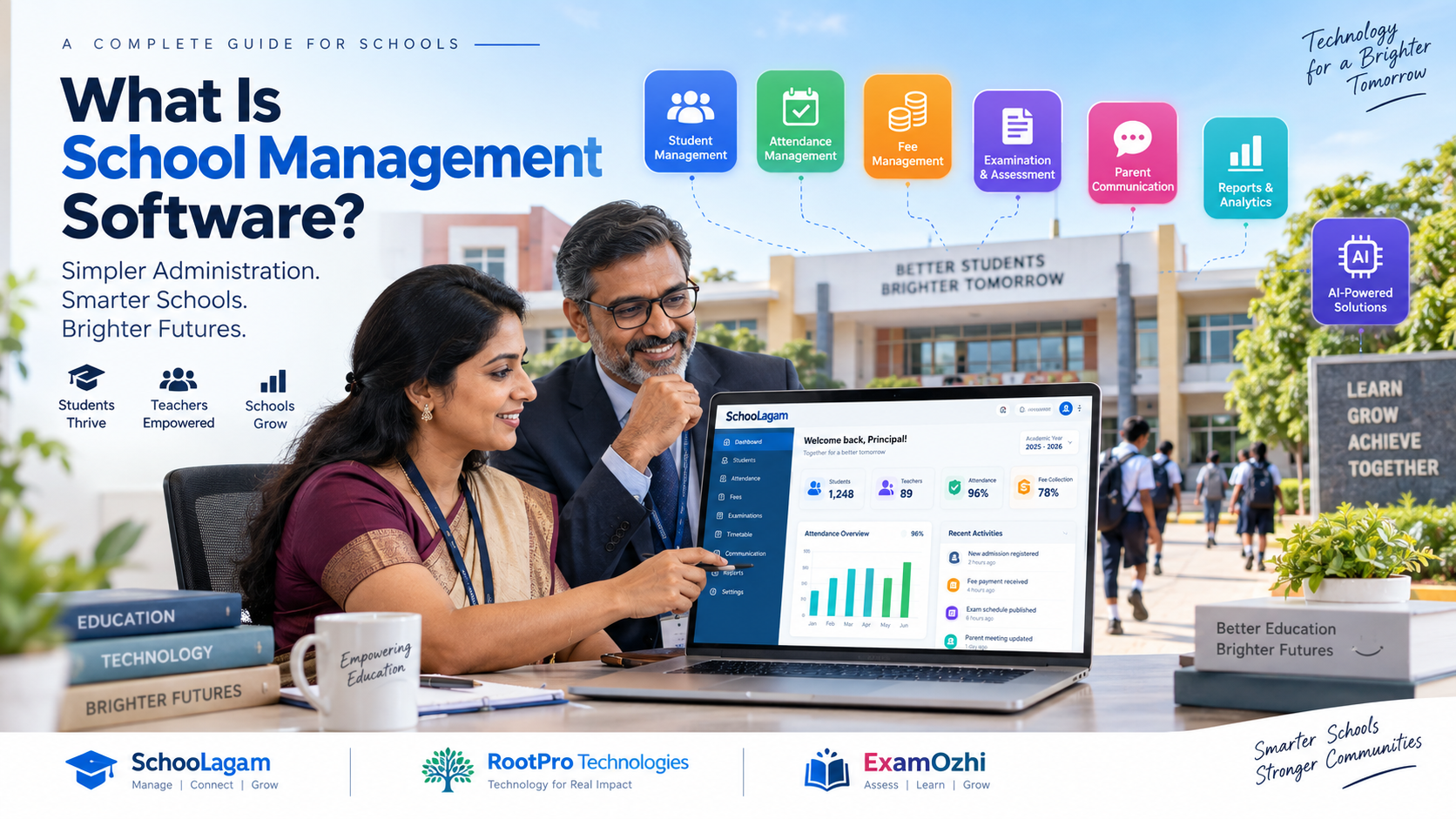
School management software is a digital system designed to bring important school operations into one organized environment. Depending on the platform, it can help schools manage students, attendance, fees, examinations, communication, academic information, timetables, admissions, reports and other administrative activities.
For school owners, principals, teachers, administrators, parents and education professionals, the important question is not simply whether a school should use software. The more important question is which school processes should be digitized and how technology can make those processes easier to manage.
What Is School Management Software?
School management software is a digital application that helps educational institutions manage their day-to-day administrative, academic and communication activities.
Instead of maintaining separate records for attendance, fees, students, examinations and communication, a school can use a centralized system to organize information and automate selected workflows.
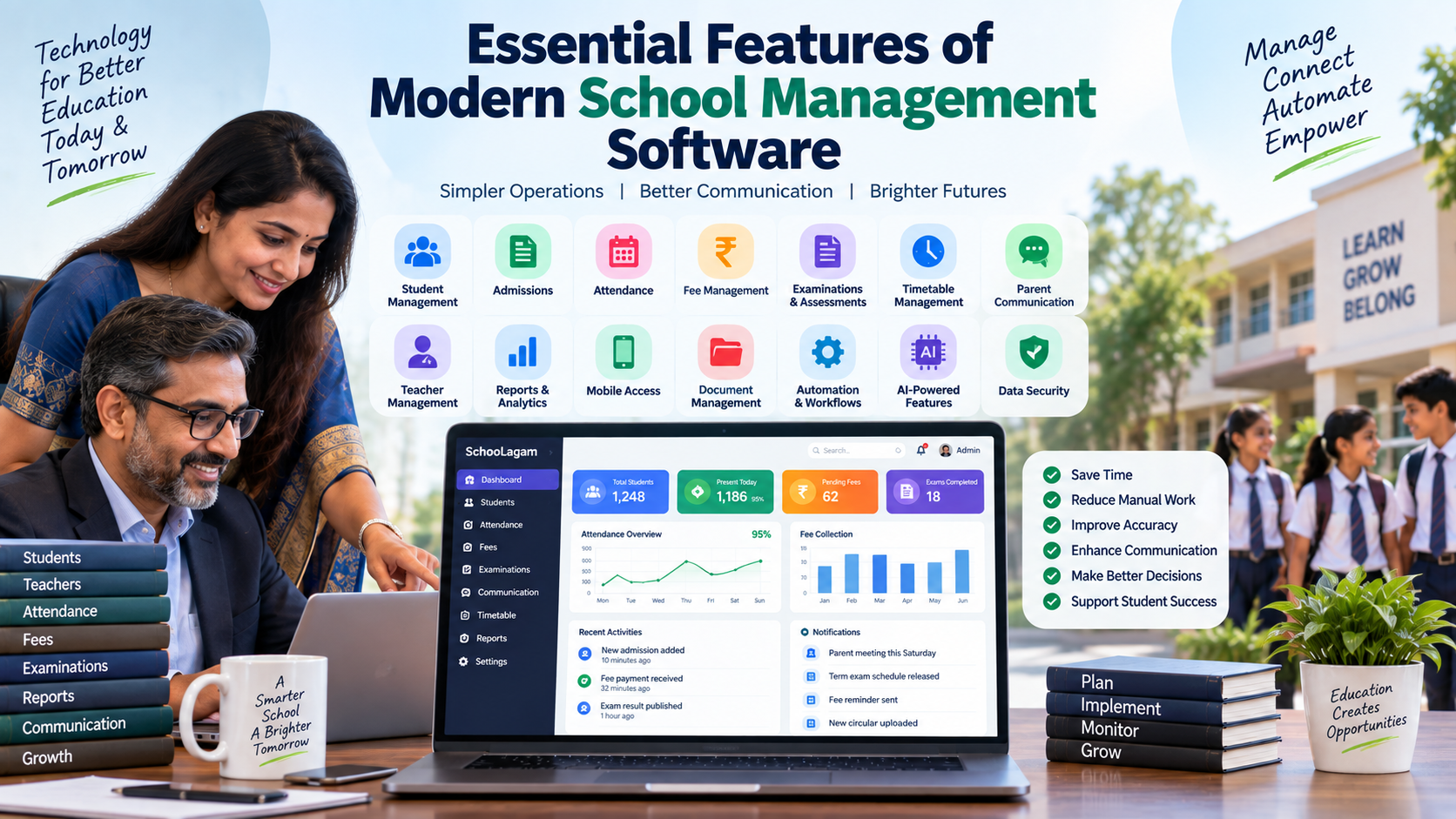
A typical school management system may include:
- Student information management
- Admission management
- Attendance management
- Fee collection and tracking
- Examination management
- Academic records
- Timetable management
- Teacher management
- Parent communication
- Notifications
- Reports and dashboards
- Document management
- Mobile applications
- Transport management
- Library management
- Analytics and automation
The exact features vary between software providers, so schools should evaluate platforms according to their actual requirements.
For schools looking for an integrated digital approach, SchooLagam provides a school management platform designed around school operations and digital workflows.
What Is a School ERP?
The terms school management software and school ERP are often used interchangeably, although an ERP generally places greater emphasis on connecting different functions.
ERP stands for Enterprise Resource Planning.
In a school environment, an ERP can connect different operational areas such as:
Students → Attendance → Academics → Fees → Examinations → Communication → Reports
The benefit of integration is that information does not need to be repeatedly entered into different systems.
For example, when a student is already registered in the school's central database, that student record can potentially be connected with attendance, fee records, academic information and examination-related workflows.
This creates a more connected approach to school administration.
Why Are Schools Moving From Manual Processes to Digital Systems?
Traditional school administration can work when the number of records is relatively small. However, as a school grows, manual processes become increasingly difficult to maintain.
Consider a simple attendance process.
A teacher records attendance in a register. Later, someone may need to enter that information into a spreadsheet. The administration may then prepare a report, while parents may receive attendance information separately.
The same information can pass through several people before reaching its final destination.
A digital workflow can reduce these repeated steps.
Traditional vs Digital School Management
Traditional Process:
- Paper attendance registers
- Manual fee registers
- Physical receipts
- Manual report preparation
- Printed notices
- Separate spreadsheets
- Manual exam calculations
- Repeated data entry
Digital Process:
- Digital attendance
- Digital fee records
- Digital receipts
- Automated reports
- Digital notifications
- Centralized database
- Digital assessment workflows
- Reusable student records
Digitalization does not mean that every task should be automated. Schools still need people to make decisions, communicate with students and parents, review information and handle exceptional situations.
The goal is to reduce unnecessary administrative effort while keeping human oversight where it matters.
Key Features of School Management Software
A school's requirements depend on its size, board, academic structure and operational model. However, several modules are commonly important.
1. Student Management
A student management module can maintain important student information in a structured digital format.
Depending on the software, records may include:
- Student profile
- Class and section
- Parent or guardian information
- Contact details
- Academic history
- Attendance
- Fee information
- Examination records
- Documents
A centralized student record reduces the need to search through multiple files or spreadsheets.
SchooLagam can be explored as an option for schools looking to bring student-related administrative workflows into a digital school management environment.
2. Attendance Management
Attendance is one of the most frequently performed school activities.
A digital attendance system can allow authorized staff to record attendance and generate reports without maintaining separate paper records.
Digital attendance can also support better communication between schools and parents when appropriate notifications are configured.
3. Fee Management
Fee administration can involve:
- Fee structures
- Student-wise dues
- Payment records
- Receipts
- Outstanding balances
- Payment reminders
- Collection reports
Digital fee management can make it easier for administrators to identify pending payments and maintain consistent records.
Schools should evaluate payment integrations, receipts, permissions and reporting capabilities before selecting a system.
4. Examination Management
Examinations generate significant amounts of information.
A digital examination system can help organize:
- Examination schedules
- Subjects
- Question papers
- Marks
- Student results
- Grade calculations
- Reports
- Performance analysis
For schools exploring digital assessments, ExamOzhi provides education technology capabilities around curriculum search, explanations and question generation.
Digital assessment platforms can complement a school ERP when schools need dedicated tools for creating and managing assessments.
5. Parent Communication
Parents increasingly expect timely access to school-related information.
Instead of relying entirely on printed notices or individual messages, schools can use digital communication systems for appropriate updates.
Possible use cases include:
- Attendance notifications
- Fee reminders
- Examination information
- School announcements
- Academic updates
- Event notifications
- Important circulars
A centralized communication system can help reduce fragmented communication.
6. Timetable Management
Creating a school timetable manually can be complicated.
Administrators have to consider:
- Teacher availability
- Class periods
- Subjects
- Classroom availability
- Teacher workload
- Break periods
- Special classes
- Conflicts
Digital timetable tools can help administrators create and modify schedules more efficiently.
AI-assisted technology can also be considered for complex scheduling workflows, provided that school staff review the generated timetable before implementation.
How School Management Software Helps Teachers
Teachers often spend considerable time on administrative activities in addition to classroom teaching.
A well-designed school management system can reduce repetitive work around:
- Attendance
- Marks entry
- Student records
- Communication
- Timetables
- Reports
- Academic information
The objective is not to replace teachers.
Instead, technology should help teachers spend less time on repetitive data handling and more time on teaching, feedback and student support.
For example, instead of:
Attendance register → Spreadsheet → Administrative report → Parent communication
a digital workflow can potentially become:
Teacher records attendance → System updates record → Authorized users receive relevant information
The exact workflow depends on the platform and school configuration.
How School Management Software Helps School Administrators
Administrators are responsible for coordinating many moving parts of a school.
A centralized system can provide a common place to manage operational information.
Useful administrative capabilities may include:
- Student records
- Staff information
- Fee tracking
- Attendance reports
- Examination records
- Admissions
- Communication
- Documents
- Reports
- Dashboards
Instead of waiting for multiple departments to send separate spreadsheets, administrators can potentially access information directly from the system.
How School Owners and Principals Can Use Data
One of the major advantages of digital school management is the ability to turn stored information into useful operational reports.
School leadership may want to understand:
- Attendance trends
- Fee collection status
- Student performance
- Teacher workload
- Admission activity
- Examination outcomes
- Pending administrative tasks
A dashboard can bring selected indicators together.
However, data itself is not the solution.
Schools need accurate data, appropriate access controls and clear processes for interpreting information.
How Students Benefit
Students may not interact with every administrative module, but they can benefit indirectly from better-connected systems.
Depending on the platform, students may receive:
- Access to academic information
- Examination details
- Digital learning resources
- Timetables
- Notifications
- Assessment information
- Performance records
Education technology can also extend beyond administration.
Platforms such as ExamOzhi demonstrate how curriculum-focused technology can support search, explanations and question generation for educational use cases.
How Parents Benefit
Parents generally want clear and timely information about their child's school experience.
A digital system can provide access to relevant information such as:
- Attendance
- Fee status
- School announcements
- Examination information
- Academic updates
- Notifications
A parent-facing application or web portal can reduce the need to contact the school for routine information.
However, schools should carefully configure permissions so parents can access only information relevant to their child.
Automation in School Management
Automation is one of the major reasons schools adopt digital systems.
Consider fee reminders.
Manual Workflow
1. Administrator checks outstanding fees.
2. Creates a list.
3. Prepares messages.
4. Sends messages.
5. Updates records.
Automated Workflow
1. System identifies applicable outstanding fees.
2. Reminder workflow is triggered.
3. Parent receives the configured notification.
4. Payment information can be updated after a successful transaction.
Automation can also support:
- Attendance alerts
- Notifications
- Report generation
- Data entry workflows
- Admissions
- Timetable preparation
- Examination processes
- Document generation
The key is to automate repeatable processes, not blindly automate every decision.
The Role of AI in Modern School Management
AI is becoming an additional layer in education technology.
It can potentially assist with:
- Data analysis
- Document processing
- Question generation
- Student-support workflows
- Communication drafting
- Search
- Summarization
- Workflow recommendations
- Timetable assistance
AI can be particularly useful when large amounts of information need to be searched, summarized or organized.
RootPro Technologies provides technology services covering AI solutions, custom software, automation and digital transformation. This type of technology expertise can be relevant for organizations that need solutions tailored to their specific workflows.
For schools, AI should be introduced with appropriate human review. Particularly in areas affecting student records, assessments or important decisions, staff should remain responsible for final decisions.
School Management Software vs Spreadsheets
Spreadsheets are useful tools and may remain appropriate for some school activities.
However, a spreadsheet-based approach can become harder to manage when:
- Multiple people edit the same data
- Records become large
- Permissions are required
- Parents need access
- Automated notifications are needed
- Several modules need to share information
- Audit trails are important
- Real-time dashboards are required
Comparison
| Requirement | Spreadsheet | Integrated School System |
|---|---|---|
| Basic data storage | Yes | Yes |
| Multi-user workflows | Limited | Yes |
| Role-based access | Limited | Yes |
| Automated notifications | Limited | Yes |
| Parent portal | Usually separate | Often integrated |
| Fee workflows | Manual/custom | Module-based |
| Attendance | Manual/custom | Dedicated module |
| Dashboards | Possible | Usually integrated |
| Scalability | Depends on setup | Designed for system use |
The right choice depends on the school's size and requirements.
Mobile Applications for Schools
Parents, teachers and administrators are not always sitting at a desktop computer.
Mobile access can therefore be useful for:
- Attendance
- Notifications
- Fee information
- Timetables
- Announcements
- Student information
- Communication
A school should evaluate mobile functionality based on its actual users and workflows rather than selecting an application simply because it has a mobile interface.
Data Security and Privacy
Schools handle sensitive information.
Examples include:
- Student details
- Parent contact information
- Academic records
- Attendance
- Financial information
- Staff information
- Documents
Therefore, security should be part of the selection process from the beginning.
Important questions include:
1. Who can access student information?
2. Are different roles given different permissions?
3. How is data protected?
4. Are backups available?
5. How are accounts secured?
6. Can administrators revoke access?
7. Are important activities logged?
8. Where is data hosted?
9. How is data exported?
10. What happens when an employee leaves the organization?
Schools should review the provider's technical, contractual and privacy documentation before implementation.
How to Choose the Right School Management Software
There is no single system that is automatically suitable for every school.
Before selecting a platform, create a requirements checklist.
Step 1: Identify Existing Problems
Document the processes that currently consume the most time.
For example:
- Attendance
- Fees
- Admissions
- Communication
- Examinations
- Reports
Step 2: Prioritize Modules
Do not attempt to digitize everything simultaneously.
Start with high-impact workflows.
Step 3: Check User Roles
Identify what each user needs.
| User | Typical Requirements |
|---|---|
| Principal | Dashboards, reports, academics |
| Administrator | Students, fees, admissions |
| Teacher | Attendance, marks, timetable |
| Parent | Notifications, fees, attendance |
| Student | Academic and examination information |
| Management | Analytics and reports |
Step 4: Evaluate Integration
Ask whether the software can connect different workflows rather than creating another isolated application.
Step 5: Test Usability
A technically powerful system can still fail if teachers and administrators find it difficult to use.
Request a demonstration or trial where possible.
Step 6: Review Security
Check permissions, authentication, backups, data handling and administrative controls.
Step 7: Plan Training
Teachers and administrators need training before the system becomes part of daily operations.
A Practical Digital Transformation Roadmap for Schools
Digital transformation does not have to happen in one day.
A practical roadmap could look like this:
Phase 1: Assessment
Document existing workflows and identify bottlenecks.
Phase 2: Core Digitization
Start with student records, attendance and communication.
Phase 3: Financial Operations
Introduce fee tracking and digital payment workflows where appropriate.
Phase 4: Academic Operations
Add examinations, marks, timetables and academic reporting.
Phase 5: Analytics
Create dashboards for leadership and administrators.
Phase 6: Automation
Automate repetitive reminders, reports and workflows.
Phase 7: AI
Introduce AI where it has a clearly defined use case and appropriate human oversight.
For schools with highly specific requirements, custom software development may also be appropriate. RootPro Technologies provides custom software and technology solutions for organizations looking to build solutions around their specific workflows.
Before and After Digital School Management
Before Digital Transformation
- Multiple registers
- Repeated data entry
- Manual reminders
- Difficult report preparation
- Fragmented communication
- Limited visibility
- Paper-heavy processes
- Manual administrative workflows
After Digital Transformation
- Centralized records
- Connected workflows
- Automated notifications
- Digital reports
- Centralized communication
- Dashboards and analytics
- Digital documentation
- More structured processes
The "after" state does not mean that every school task becomes automatic. Successful implementation depends on good processes, accurate data, user adoption and appropriate technology.
What Does the Future of School Management Look Like?
The next stage of school management is likely to involve greater integration between ERP systems, mobile applications, analytics and AI.
Several developments are particularly relevant.
AI-Assisted Administration
AI can help staff summarize information, draft communications, analyze patterns and identify tasks requiring attention.
Intelligent Student Support
Schools may increasingly use data to identify students who need additional academic or attendance support.
Such systems should assist educators rather than make sensitive decisions without human review.
Connected Education Platforms
School ERP, assessment tools, learning platforms and communication systems may increasingly work together.
Curriculum-Aware AI
Education technology platforms can help structure curriculum content so that applications can search educational material, generate questions and support learning workflows.
More Personalized Digital Experiences
Different users may receive different interfaces and information based on their role.
A principal does not need the same dashboard as a teacher, and a parent does not need access to administrative information.
This role-aware approach can make digital systems easier to use while improving information control.
Frequently Asked Questions
What is school management software?
School management software is a digital system used to organize and manage school operations such as student records, attendance, fees, examinations, communication, admissions and reporting. Depending on the platform, it may also include mobile applications, dashboards, automation and AI-assisted workflows.
What is the difference between school management software and school ERP?
School management software is a broad term for technology used to manage school activities. A school ERP generally emphasizes integration between multiple departments and processes. For example, an ERP may connect student records with attendance, fees, examinations, communication and reporting.
Can school management software reduce administrative work?
Yes, depending on the software and how the school configures it. Digital attendance, fee records, notifications, reports, admissions and other repetitive workflows can reduce manual data entry. The effectiveness depends on implementation, staff adoption and the specific features of the platform.
Is school management software useful for teachers?
Yes. Teachers can use relevant modules for attendance, marks, timetables, student information and communication. Schools should involve teachers during software evaluation because a system should simplify actual classroom and administrative workflows.
Can AI be used in school management?
AI can support several school workflows, including document automation, search, analytics, communication drafting, question generation and workflow assistance. AI should be introduced with appropriate privacy, review and governance practices, particularly when student information is involved.
Can schools use technology for online assessments?
Yes. Digital assessment tools can support online tests, quizzes, question creation and other assessment workflows. ExamOzhi provides curriculum-focused education technology that can support question generation and other learning and assessment use cases.
How much does school management software cost?
There is no universal price. Cost depends on factors such as the number of students, modules, users, integrations, hosting requirements, support and customization. Schools should compare the total cost of implementation and ongoing operation rather than looking only at the initial subscription price.
How should a school start its digital transformation?
Start by identifying the processes that create the most administrative effort. Then prioritize core workflows such as student management, attendance, communication and fees before expanding into examinations, analytics, automation and AI.
Transform Your School with Smarter Digital Solutions
Digital transformation in education is not simply about replacing paper with software. It is about creating better-connected processes that help schools manage information, communicate effectively and spend less time on repetitive administration.
Schools looking for an integrated digital school management approach can explore SchooLagam for school operations, attendance, fees, communication, student management, administration and other digital workflows.
Organizations looking for custom software development, AI solutions, automation or broader digital transformation can explore RootPro Technologies and its technology services.
For schools and educational organizations exploring online assessments, curriculum-focused question generation and digital learning workflows, ExamOzhi provides education technology capabilities that can complement existing school systems.
The right technology strategy depends on each school's size, existing systems, budget, workflows and long-term goals.
The important first step is to identify where technology can remove unnecessary manual work while improving the experience for administrators, teachers, students and parents.
Explore these platforms and evaluate which digital approach fits your school's needs.