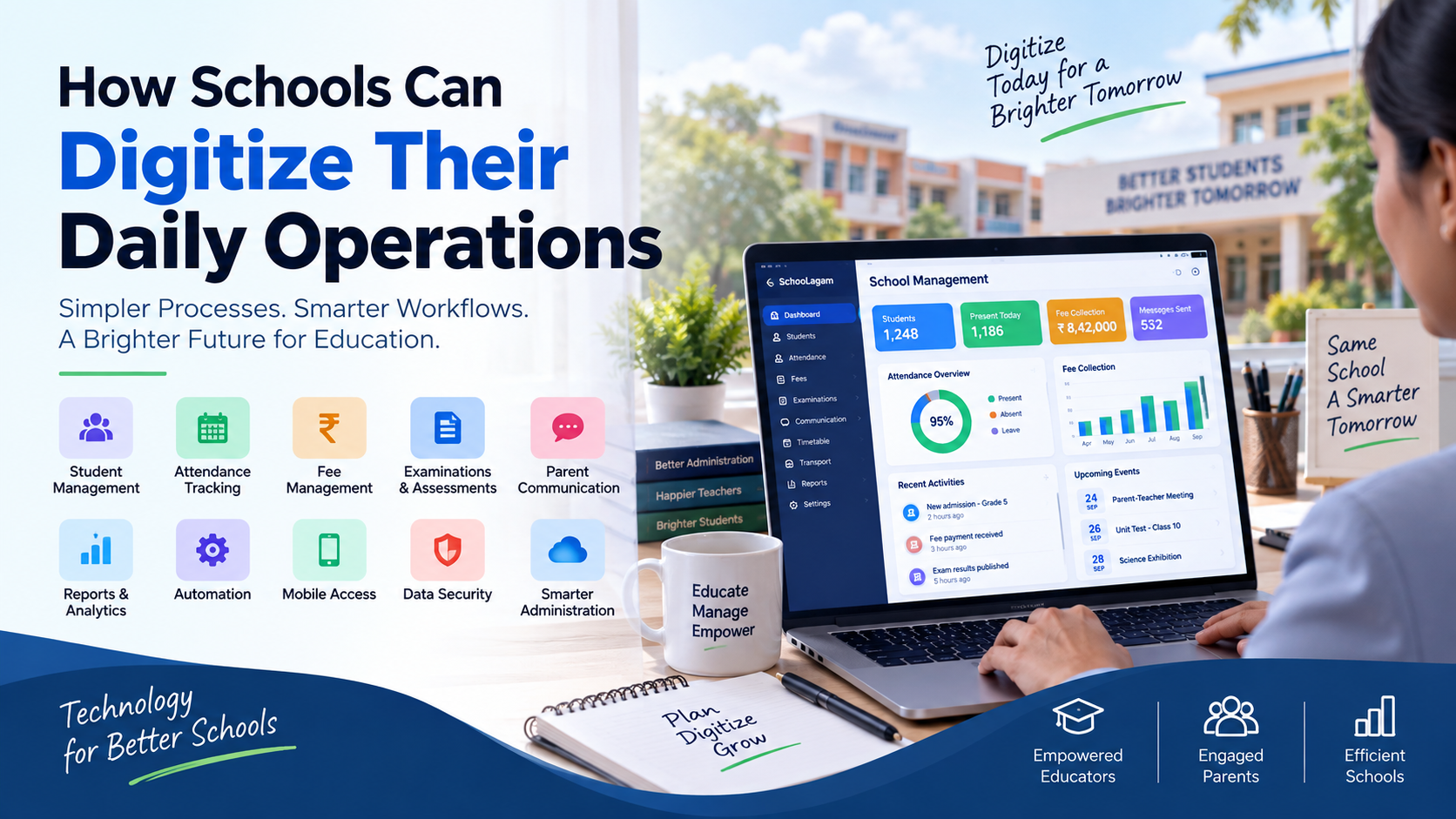
How Schools Can Digitize Their Daily Operations
Learn how schools can digitize daily operations through school ERP, automation, digital communication, attendance, fees, assessments, analytics, and AI-powered tools.
A school can have excellent teachers, dedicated administrators, and strong academic programs, yet still lose valuable time every day because routine operations are handled manually.
Attendance registers, fee records, student files, examination documents, parent communication, staff coordination, reports, approvals, and spreadsheets can create hundreds of small administrative tasks. When the same information has to be entered, checked, copied, and communicated multiple times, the workload becomes difficult to manage.
This is why more schools are exploring how to digitize school operations.
Digital transformation does not mean replacing every existing process with an application. It means identifying repetitive, time-consuming, and information-heavy activities and using appropriate technology to make them easier to manage.
For Indian schools, this can include digital student records, attendance, fee management, parent communication, examinations, reports, mobile applications, workflow automation, analytics, and AI-assisted processes.
The objective is simple: reduce unnecessary administrative work while giving school leaders, teachers, students, and parents better access to the information they need.
What Does It Mean to Digitize School Operations?
Digitizing school operations means using software, cloud platforms, mobile applications, automation, and other digital technologies to manage everyday school activities.
Instead of depending entirely on:
- Paper registers
- Physical files
- Multiple Excel spreadsheets
- Manual calculations
- Printed notices
- Phone calls
- Separate departmental records
- Repeated data entry
schools can gradually move appropriate processes into organized digital workflows.
For example, a digital attendance process can allow teachers to record attendance electronically while authorized administrators can access attendance reports without collecting physical registers.
Similarly, a digital fee process can organize payment information, receipts, reminders, and reports in a structured environment.
A platform such as SchooLagam provides an example of an integrated school-management approach, with capabilities spanning ERP, attendance, fees, examinations, admissions, communication, timetables, transport, documents, and AI-assisted workflows. Schoolagam
The important point is that digitization should connect related processes rather than simply turn individual paper forms into digital forms.
Why Schools Need to Digitize Daily Operations
Schools handle a large amount of information every day.
A single student may have records related to:
- Admission
- Attendance
- Academic performance
- Fees
- Examinations
- Parent communication
- Documents
- Activities
- Transport
- Other school services
When this information is spread across different files and departments, administrators may spend significant time searching, updating, checking, and sharing information.
Common challenges in manual school administration
Repeated data entry
The same student information may be entered into multiple spreadsheets, registers, or forms.
Slow information retrieval
Finding a particular document or historical record can take time when information is stored across physical folders.
Communication gaps
Parents may contact the school because important information was not communicated through an organized channel.
Manual reporting
Administrators may need to combine information from different departments before preparing management reports.
Limited operational visibility
School management may not have a single view of attendance, fees, admissions, academic information, and other operational areas.
Digital systems can help address these challenges by creating structured workflows and centralized information.
Traditional School Operations vs Digital Operations
Before implementing technology, it is useful to understand where manual processes create unnecessary work.
| School Activity | Traditional Approach | Digital Approach |
|---|---|---|
| Student records | Paper files and spreadsheets | Centralized digital profiles |
| Attendance | Physical registers | Digital attendance |
| Fee management | Receipt books and spreadsheets | Digital fee records and payments |
| Parent communication | Calls, notices and messages | Organized digital communication |
| Examinations | Separate documents and mark sheets | Digital examination workflows |
| Reports | Manual compilation | Digital reports and dashboards |
| Documents | Physical folders | Digital document storage |
| Timetable | Manual preparation | Digital scheduling |
| Admissions | Paper forms and spreadsheets | Digital admission workflows |
| Information search | Manual file searching | Digital search |
In Microsoft Word:
Paste → Select the text → Insert → Table → Convert Text to Table → Separate text at: Tabs → OK
Start With Processes, Not Software
One of the most common mistakes schools can make is selecting software before understanding their own workflows.
Before choosing a digital platform, school management should ask:
- Which activities consume the most administrative time?
- Where is the same information entered repeatedly?
- Which reports take the longest to prepare?
- Where do communication delays occur?
- Which documents are difficult to find?
- Which activities depend heavily on spreadsheets?
- Which processes create frequent errors?
- Which tasks could safely be automated?
This creates a practical starting point.
For example, if attendance and fee management are causing the most administrative work, a school can prioritize those areas rather than trying to digitize every department simultaneously.
1. Digitize Student Information Management
Student information is one of the first areas schools should consider when moving away from paper-based administration.
A centralized student information system can organize relevant records such as:
- Student identity details
- Parent or guardian information
- Contact details
- Admission information
- Attendance
- Academic records
- Examination information
- Fee records
- Documents
- Other school-related information
Instead of maintaining several files for the same student, authorized users can work from a structured digital profile.
This can reduce duplicate data entry and make information easier to locate.
Why centralized records matter
When a parent asks about attendance or an administrator needs student information, staff should not have to search through several folders and spreadsheets.
A properly implemented digital system can make routine information retrieval easier while maintaining appropriate user permissions.
For schools evaluating an integrated school ERP platform, SchooLagam can be explored as one example of a system designed around connected school workflows. Schoolagam
2. Digitize Admissions
Admissions can create significant administrative work, particularly during busy admission periods.
Schools may need to manage:
- Enquiries
- Applications
- Applicant information
- Documents
- Admission tests
- Interviews
- Application status
- Final enrollment
A digital admission workflow can organize these stages in one place.
Instead of maintaining separate notebooks and spreadsheets, administrators can track where each application currently stands.
A digital admission process can also make it easier to identify:
- New enquiries
- Pending applications
- Missing documents
- Completed applications
- Applications awaiting decisions
The result is better visibility into the admission process.
3. Digitize Attendance Management
Attendance is one of the most repetitive activities in school administration.
In a traditional system, the process may look like:
Teacher → Attendance Register → Office → Spreadsheet → Report
Each step can introduce additional manual work.
A digital attendance workflow can simplify this process.
Depending on the school's requirements and chosen platform, schools may use:
- Teacher attendance interfaces
- Mobile attendance
- Biometric systems
- Face-recognition-based systems
- Class-wise attendance
- Student attendance reports
- Absence notifications
- Attendance analytics
SchooLagam currently describes attendance and biometric workflows along with attendance insights and parent updates. Schoolagam
However, schools should select the method that fits their infrastructure, privacy requirements, staff capabilities, and operating procedures.
4. Digitize Fee Management
Fee administration is another important area for digital transformation.
Manual fee processes can involve:
- Fee calculation
- Payment collection
- Receipt preparation
- Pending payment tracking
- Parent reminders
- Reconciliation
- Reports
A digital fee-management process can organize these activities in a structured system.
Possible capabilities include:
- Fee structures
- Student-wise dues
- Online payments
- Payment history
- Digital receipts
- Reminders
- Collection reports
SchooLagam currently describes fee batches, digital payments, payment logs, reminders, and receipts as part of its platform. Schoolagam
For schools, the goal should not simply be accepting online payments. The broader goal is to make the entire fee workflow easier to track and manage.
5. Improve Parent Communication Digitally
Parents need timely information from schools.
This can include:
- Attendance updates
- Fee information
- Examination schedules
- Results
- Notices
- Events
- Academic updates
- Important reminders
When communication depends entirely on phone calls and separate messaging groups, information can become difficult to organize.
Digital school management can bring communication into a more structured environment.
Depending on the platform, communication may involve:
- Parent applications
- Web portals
- SMS
- Messaging services
- Notifications
- Secure links
SchooLagam currently describes parent communication through channels including its parent app, WhatsApp, email, SMS, secure links, and other school workflows. Schoolagam
The objective should be organized communication, not simply sending more messages.
6. Digitize Examination and Assessment Processes
Examinations involve multiple stages.
Schools may need to manage:
- Exam schedules
- Subjects
- Question papers
- Student assessments
- Marks
- Grades
- Results
- Report cards
Some parts of the examination process can be digitized while others can remain offline, depending on the school's academic model.
Digital assessment tools can be useful for:
- Practice tests
- Online examinations
- Question generation
- Curriculum-based assessments
- Digital quizzes
- Assessment content
For example, ExamOzhi currently provides curriculum-focused capabilities including structured curriculum access, AI-powered search, summaries, explanations, and question generation. Examozhi
This means schools and education technology teams can consider specialized assessment tools alongside their broader school management systems.
7. Digitize Timetable Management
Creating a timetable manually can become difficult when a school has many classes, teachers, subjects, rooms, and scheduling constraints.
A digital timetable system can help administrators manage:
- Classes
- Subjects
- Teachers
- Periods
- Rooms
- Teacher availability
- Conflicts
- Workload
Modern platforms are also introducing AI-assisted timetable generation.
SchooLagam currently describes an AI timetable builder that can generate, refactor, validate, and export timetables while checking teacher loads and class conflicts. Schoolagam
However, generated schedules should still be reviewed by school staff before implementation.
Technology can identify conflicts from available data, but educators understand practical classroom requirements that may not always be represented in the system.
8. Digitize School Documents
Schools generate and store a large number of documents.
These may include:
- Admission documents
- Student certificates
- Staff documents
- Fee receipts
- Examination records
- Circulars
- Administrative documents
- Policy documents
Digital document management can make records easier to organize and search.
However, schools should define clear policies for:
- Document access
- Backups
- Retention
- Modification
- Archiving
- Deletion
Digitization should improve accessibility without compromising information security.
9. Use Reports and Analytics
Digitizing data is only the first step.
The next step is understanding that information.
Digital dashboards and reports can help authorized users review:
- Attendance
- Fee collection
- Admissions
- Examination results
- Student performance
- Teacher workload
- Operational activities
School leaders may want answers to questions such as:
Are attendance patterns changing?
Which fee payments require follow-up?
Which classes need additional academic attention?
How many admissions are currently pending?
Instead of collecting information manually from several departments, structured reports can provide a more accessible operational view.
Analytics should support human decision-making rather than replace it.
10. Automate Repetitive School Workflows
Automation is one of the biggest opportunities in school digitization.
Automation is most useful for repetitive and predictable activities.
Examples include:
- Attendance notifications
- Fee reminders
- Payment receipts
- Parent notifications
- Routine reports
- Examination notifications
- Administrative reminders
- Workflow approvals
Manual vs Automated Processes
| Process | Manual Method | Automated/Digital Method |
| Attendance | Register entry | Digital attendance record |
| Fee reminder | Manual phone call | Scheduled notification |
| Payment receipt | Manual preparation | Digital receipt |
| Parent notice | Individual message | Organized notification |
| Reports | Manual compilation | System-generated report |
| Student search | File searching | Digital search |
| Exam notification | Separate communication | Scheduled digital notification |
| Follow-up | Personal tracking | Workflow-based tracking |
11. Introduce AI Carefully
Artificial intelligence can become another layer of school digitization.
AI can potentially assist with:
- Information search
- Document processing
- Question generation
- Report preparation
- Communication drafts
- Data analysis
- Student insights
- Workflow assistance
- Content summarization
SchooLagam currently describes an AI command center connected with operational areas such as attendance, fees, examinations, admissions, transport, library, payroll, and communication. Schoolagam
AI should be introduced around genuine problems.
Instead of asking:
“Where can our school use AI?”
ask:
“Which repetitive or information-heavy problem can AI help us handle responsibly?”
That shift can lead to more practical technology decisions.
For schools or education organizations looking for broader AI and automation solutions, RootPro Technologies provides services covering AI solutions, document automation, RAG search, custom integrations, web and mobile development, school management, and custom software. RootPro
12. Give Teachers Better Digital Tools
Teachers are not only educators. They often handle several administrative responsibilities.
These can include:
- Attendance
- Marks
- Student records
- Reports
- Parent communication
- Examination work
- Timetable management
Digital systems can reduce repetitive data entry.
For example, if student information already exists in a centralized system, teachers may not need to recreate the same information in several spreadsheets.
This can help teachers spend more time on:
- Lesson preparation
- Classroom interaction
- Student support
- Academic planning
- Individual feedback
Technology should reduce administrative friction rather than add another complicated system.
13. Make Digital Information Available on Mobile
School operations do not always happen in front of a desktop computer.
Principals may move around the campus.
Teachers may need information inside classrooms.
Parents may check notifications from their phones.
Therefore, schools should consider mobile accessibility when evaluating digital tools.
Useful mobile capabilities may include:
- Attendance
- Notifications
- Student information
- Fee information
- Examination updates
- Timetables
- Parent communication
Before selecting a platform, schools should test the actual mobile experience and confirm that it works well for the intended users.
14. Strengthen Data Management and Security
Digitization creates an important responsibility: protecting school information.
Schools may store:
- Student information
- Parent contact details
- Academic records
- Fee information
- Staff information
- Documents
Therefore, schools should evaluate security before implementing any digital platform.
Important considerations include:
- Role-based access
- Authentication
- Data backups
- Access permissions
- Audit trails
- Secure communication
- Data recovery
- Account management
- Privacy practices
Not every user should have access to every record.
A teacher may need academic information for their students, while an accounts employee may need fee information. Administrators may require broader access.
Good access control should follow the principle of giving users the permissions they actually need.
15. Connect Different Digital Systems
Many schools already use multiple technology tools.
For example:
- School ERP
- Accounting software
- Payment gateways
- Biometric attendance
- Learning platforms
- Examination systems
- School websites
- Communication tools
The challenge is that disconnected systems can create duplicate work.
A modern digital strategy should therefore consider integration.
For example:
Student Information → Attendance → Reports → Parent Communication
or:
Examination → Marks → Report Card → Parent Communication
When systems can exchange information appropriately, staff may spend less time copying data between applications.
This is also where custom software and integration services can become useful.
RootPro's custom software practice describes ERP, CRM, internal dashboards, API and integration layers, and workflow automation tailored to specific business processes. RootPro
16. Choose Between ERP, Specialized Tools, and Custom Software
There is no single technology approach for every school.
| Technology Approach | Suitable When | Main Consideration |
|---|---|---|
| Spreadsheets | Very small or simple operations | Limited automation |
| Individual tools | One specific problem needs solving | Systems may remain disconnected |
| School ERP | School needs integrated operations | Requires proper configuration |
| Specialized platforms | A specific function needs deeper features | Requires coordination |
| Custom software | School has unique workflows | Development and maintenance required |
| Integrated approach | School needs ERP plus specialized tools | Requires integration planning |
A school may use an ERP for administration and a specialized platform for digital assessment.
In other cases, custom software may make sense because the organization's workflow is unusual.
The decision should be based on workflow requirements rather than technology trends.
17. A Practical Roadmap for School Digitization
Schools do not need to digitize everything in one day.
A phased approach can make implementation easier.
Phase 1: Identify the Problems
List the activities that consume the most time.
For example:
- Attendance
- Fees
- Student records
- Reports
- Parent communication
Phase 2: Map Existing Workflows
Document who performs each activity.
For example:
Teacher → Coordinator → Administrator → Principal
Then identify unnecessary steps.
Phase 3: Select Priority Areas
Start with processes where digital tools can provide practical value.
A school might begin with:
- Student information
- Attendance
- Fees
- Communication
- Reports
Phase 4: Clean Existing Data
Before moving information into a new system, identify:
- Duplicate records
- Incorrect information
- Missing details
- Outdated contacts
- Incomplete student profiles
Phase 5: Train Staff
Training should cover actual daily workflows.
Teachers and administrators should understand:
- What to do
- Where to do it
- Who can access the information
- What happens after submitting it
Phase 6: Pilot the System
Start with one department, class, or workflow if practical.
Then collect feedback.
Phase 7: Expand Gradually
Once the process works, introduce additional modules.
Phase 8: Review Regularly
Ask:
- Did administrative workload decrease?
- Is information easier to find?
- Are communication delays reduced?
- Are staff using the system?
- Are there data-quality problems?
- What should be improved next?
18. Benefits of Digitizing School Operations
Digital transformation can affect every major stakeholder.
For School Owners
Digital systems can provide a more organized view of school operations and make important information easier to review.
For Principals
Reports, dashboards, and centralized information can support daily management and planning.
For Teachers
Digital workflows can reduce repetitive administrative activities.
For Students
Students can benefit from more organized access to academic information and digital services.
For Parents
Parents can receive relevant information through structured digital communication.
For Administrators
Centralized records and automation can reduce repetitive data handling.
For Accounts Teams
Digital fee records can make payment tracking and reporting more structured.
For Examination Teams
Digital assessment workflows can organize question papers, assessments, marks, and reports.
19. Before and After Digitization
| Area | Before Digitization | After Digitization |
|---|---|---|
| Student records | Multiple files | Centralized records |
| Attendance | Paper register | Digital attendance |
| Fees | Spreadsheets and receipts | Digital fee records |
| Communication | Calls and separate messages | Organized digital communication |
| Reports | Manual compilation | Digital reports |
| Documents | Physical folders | Digital document storage |
| Exams | Separate files | Organized digital workflows |
| Information search | Manual file checking | Digital search |
| Follow-up | Individual tracking | Workflow-based tracking |
| Management | Information gathered manually | More accessible operational information |
20. Common Mistakes Schools Should Avoid
Digital transformation can become difficult if schools focus only on purchasing software.
Mistake 1: Digitizing a bad process
If a process has unnecessary steps, putting it into software does not automatically improve it.
Mistake 2: Trying to implement everything immediately
Too many changes at once can make adoption difficult.
Mistake 3: Ignoring teachers
Teachers are major users of school technology and should be involved in implementation.
Mistake 4: Not cleaning existing data
Poor-quality data can create problems after migration.
Mistake 5: Ignoring security
Schools handle sensitive information and should carefully evaluate access and protection.
Mistake 6: Choosing software based only on features
The software should solve real problems and be practical for daily users.
Mistake 7: Forgetting training
Even a capable system needs people who understand how to use it.
21. The Future of Digitized School Operations
School digitization is likely to move beyond simple record management.
Future school systems may increasingly combine:
- AI assistants
- Digital attendance
- Automated communication
- Analytics
- Digital assessments
- Mobile applications
- Online payments
- Workflow automation
- Integrated dashboards
- Custom integrations
AI may increasingly help staff find information, generate drafts, identify patterns, and perform repetitive tasks.
Digital assessment technology may also become more closely connected with curriculum content.
ExamOzhi currently provides structured curriculum APIs, RAG-powered search, summaries, explanations, and question generation across Indian curriculum content. Examozhi
The direction is not about removing teachers or administrators from school operations.
Instead, the objective is to allow technology to handle appropriate repetitive work while people continue to make important educational and operational decisions.
22. A Simple Framework for School Digitization
Schools can use a simple five-step framework:
Identify
Find the activities consuming unnecessary time.
Simplify
Remove unnecessary steps from the workflow.
Digitize
Move suitable records and processes into digital systems.
Automate
Automate repetitive and predictable tasks.
Improve
Review the process regularly and make changes based on staff and stakeholder feedback.
This approach keeps digital transformation practical.
Frequently Asked Questions
1. How can schools digitize their daily operations?
Schools can begin by identifying repetitive activities such as attendance, student records, fees, communication, examinations, and reporting. They can then select appropriate digital tools, clean existing data, train staff, and implement the system in phases. Starting with a few high-impact workflows is often more practical than attempting to digitize every department simultaneously.
2. What school operations should be digitized first?
There is no universal order, but schools often begin with student information, attendance, fees, communication, and reporting because these activities generate frequent administrative work. The best starting point depends on the school's existing problems, staff capacity, infrastructure, and technology readiness.
3. Can school ERP software handle daily school operations?
A school ERP can bring several operational areas into one environment. For example, RootPro's school management software currently describes modules covering admissions, attendance, fees, examinations, timetables, parent communication, student information, payments, and parent and teacher applications. RootPro
4. How can digital attendance save time for schools?
Digital attendance can reduce the need to manually transfer attendance information from classroom registers into spreadsheets and reports. Depending on the system, attendance may also connect with notifications, student records, analytics, and parent communication. Schools should select a method that fits their infrastructure and operational requirements.
5. Can AI help schools digitize their operations?
Yes. AI can assist with information search, document processing, question generation, communication drafts, analytics, and workflow support. However, AI should be introduced around clearly defined problems and used with appropriate permissions and human review. AI-generated information should not automatically be treated as a final decision in sensitive educational matters.
6. How can schools digitize examinations?
Schools can digitize suitable parts of examination workflows, including online tests, digital assessments, question generation, marks management, and reporting. Specialized platforms can complement a school ERP when deeper assessment capabilities are required. ExamOzhi provides curriculum-focused AI capabilities including question generation and curriculum search. Examozhi
7. Is mobile access important for school management?
Mobile access can be useful because administrators, teachers, students, and parents may need school information outside a desktop environment. Schools should evaluate whether the mobile application or responsive interface is easy to use and provides the functions required by each user group.
8. Should schools use ERP software or custom software?
The answer depends on the school's requirements. ERP software can be suitable when common school operations need to be integrated. Custom software may be more appropriate when an organization has specialized workflows that existing products cannot accommodate effectively. Some schools may also use an ERP together with specialized platforms and integrations.
Transform Your School with Smarter Digital Solutions
Digitizing school operations is not about moving every paper form onto a computer.
It is about understanding how work happens inside the school and using technology where it can reduce repetitive effort, improve information access, strengthen communication, and support better decision-making.
Schools looking for an integrated approach to daily operations can explore SchooLagam. Its current platform combines school-management capabilities with areas such as attendance, fees, examinations, admissions, communication, timetables, transport, documents, analytics, and AI-assisted workflows. Schoolagam
Organizations that need software development, AI, automation, integrations, or custom digital transformation can explore RootPro Technologies. RootPro currently offers services covering AI solutions, school management software, web and mobile development, and custom software. RootPro
For schools and education technology teams exploring digital assessment and curriculum-focused capabilities, ExamOzhi provides curriculum search, AI summaries, explanations, question generation, and related assessment capabilities. Examozhi
The right digital strategy will be different for every school.
Start small.
Identify the most time-consuming processes. Simplify them. Digitize them. Automate the repetitive parts. Train the people who use them. Then measure what has improved.
The goal of school digitization is not more technology. The goal is better school operations.