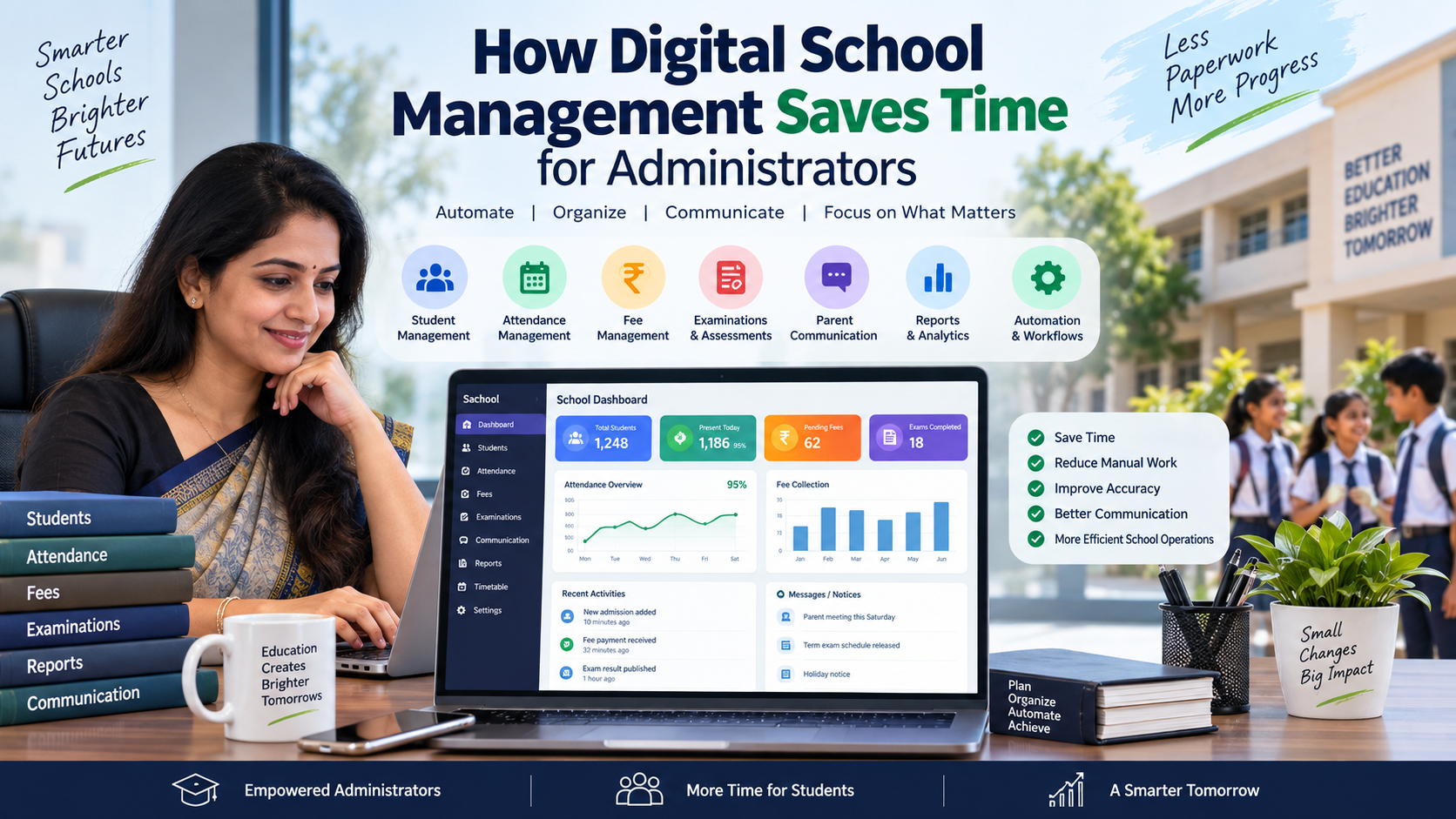
How Digital School Management Saves Time for Administrators
Discover how digital school management helps administrators save time by automating attendance, fees, reports, communication, examinations, student records, and everyday school operations.
Running a school involves far more than teaching students. Every day, school administrators and principals deal with attendance records, fee collection, student information, staff coordination, examinations, parent communication, reports, documents, timetables, and countless follow-ups.
When these activities depend heavily on registers, spreadsheets, paper files, phone calls, and repetitive data entry, valuable administrative time can quickly disappear.
This is where digital school management becomes important.
A well-designed digital school management system can bring different administrative activities into one organized environment. Instead of repeatedly searching for information or maintaining the same data in multiple places, schools can use digital workflows to organize records, automate repetitive tasks, improve communication, and make information easier to access.
For school owners, principals, teachers, administrators, students, and parents, the goal is not simply to replace paper with software. The real goal is to reduce unnecessary administrative work and give people more time for activities that require human attention and decision-making.
Why Time Management Matters in School Administration
School administrators work with a large amount of information every day.
A typical school may need to manage:
- Student admission information
- Student attendance
- Teacher attendance
- Fee records
- Examination details
- Marks and academic records
- Timetables
- Parent communication
- Staff information
- Documents
- Reports
- Notifications
- Transport information
- Library records
- Administrative approvals
When these processes are handled manually, the same information may need to be entered, checked, updated, and shared several times.
For example, an administrator may receive attendance information from teachers, update a spreadsheet, prepare a report, answer a parent's question, and then share the same information with another department.
Digital systems can reduce this repetitive movement of information.
What Is Digital School Management?
Digital school management refers to using software, cloud-based systems, mobile applications, automation, and other technology to organize school operations.
Instead of maintaining separate registers and spreadsheets for every department, schools can use centralized systems to manage information and workflows.
A school management platform can bring together areas such as:
- Student management
- Attendance
- Fees
- Examinations
- Communication
- Timetables
- Reports
- Documents
- Staff information
- Parent services
- Administrative workflows
For schools looking for a structured school ERP approach, platforms such as SchooLagam can be explored as an example of how different school operations can be brought into a digital environment.
The exact features a school needs will depend on its size, existing processes, staff requirements, and implementation strategy.
The Biggest Time-Consuming Tasks in Traditional School Administration
Traditional administration is not necessarily ineffective, but many manual activities require repeated effort.
Some common examples include:
1. Searching for Student Records
Paper files and multiple spreadsheets can make information retrieval time-consuming.
An administrator may need to search through different folders to find:
- Contact information
- Attendance history
- Fee details
- Academic information
- Documents
- Admission records
A centralized digital record can make this information easier to locate.
2. Attendance Management
Manual attendance registers require teachers to record attendance and administrators to collect or consolidate information.
Digital attendance systems can reduce repeated data entry and make attendance information available in a structured format.
For schools exploring digital attendance and broader school administration tools, SchooLagam's school management platform is one option to evaluate based on the school's requirements.
3. Fee Management
Fee administration can involve:
- Fee structures
- Payment records
- Pending payments
- Receipts
- Reminders
- Reports
- Parent queries
When this information is maintained manually, administrators may spend significant time checking multiple records.
Digital fee management can organize payment information and reduce repetitive administrative work.
4. Parent Communication
Parents frequently need information about:
- Attendance
- Fees
- Examinations
- School activities
- Notices
- Academic updates
When every communication requires separate phone calls or messages, administrative workload increases.
Digital communication tools can help schools organize information and deliver relevant updates through appropriate channels.
Traditional Administration vs Digital School Management
The difference becomes clearer when common activities are compared.
| Area | Traditional School Administration | Digital School Management |
|---|---|---|
| Student records | Physical files and spreadsheets | Centralized digital records |
| Attendance | Manual registers | Digital attendance records |
| Fee management | Receipt books and spreadsheets | Digital fee tracking and payment records |
| Examinations | Separate mark sheets and documents | Centralized examination records |
| Parent communication | Calls, notices and messaging groups | Organized digital communication |
| Reports | Manually prepared reports | System-generated reports and dashboards |
| Data access | Depends on physical files or individual sheets | Role-based digital access |
| Data updates | Repeated manual updates | Connected digital records |
| Timetable | Manual preparation | Digital timetable management |
| Decision-making | Depends heavily on manually collected information | Uses organized records and analytics |
| Document management | Physical folders | Digital document management |
| Accessibility | Usually dependent on office records | Can support web and mobile access |
To make this a table in Word:
Copy → Paste into Word → Select the pasted text → Insert → Table → Convert Text to Table → Separate text at: Tabs → OK
How Automation Saves Administrative Time
Automation is one of the most useful aspects of digital school management.
Automation means that a system can handle repetitive and predictable activities according to predefined rules.
Examples include:
- Recording attendance
- Generating reports
- Sending reminders
- Updating records
- Maintaining payment history
- Organizing examination information
- Creating notifications
- Managing routine workflows
The purpose is not to remove people from the process.
Instead, automation allows staff to spend less time performing repetitive tasks and more time handling activities that require communication, judgment, and problem-solving.
Manual vs Automated Processes
| Process | Manual Method | Digital/Automated Method |
|---|---|---|
| Attendance | Register entry | Digital attendance records |
| Fee reminders | Manual calls or messages | Digital reminders where supported |
| Fee records | Spreadsheet or receipt book | Centralized payment history |
| Student records | Physical files | Digital student profiles |
| Exam marks | Separate spreadsheets | Centralized academic records |
| Reports | Manual preparation | System-generated reports |
| Parent updates | Multiple communication channels | Organized digital communication |
| Data search | Manual file searching | Digital search |
| Timetable | Manual planning | Digital scheduling tools |
| Administrative follow-up | Individual tracking | Notifications and structured workflows |
Automation does not mean that every decision should be made by software. Instead, automation is most useful for repetitive and predictable activities.
Student Management Becomes More Organized
Student information is one of the most important areas of school administration.
A digital student profile can bring relevant information into one organized record.
Depending on the platform and configuration, information may include:
- Student personal information
- Parent or guardian information
- Attendance
- Academic records
- Fee information
- Documents
- Examination information
- Communication history
This can reduce the need to search through different files for routine queries.
For school administrators, better organization means less time spent looking for information and more time spent acting on it.
Digital Attendance Reduces Repetitive Work
Attendance is a daily activity, which makes it an important area for process improvement.
In a manual environment, attendance information may move through several stages:
Teacher → Register → Office → Spreadsheet → Report → Parent communication
Each additional step can create opportunities for duplicate data entry or delays.
A digital attendance workflow can help organize the information closer to the point where it is recorded.
Depending on the school's system, attendance may also be connected with reports, notifications, student records, or analytics.
This makes attendance more than simply marking students present or absent. It becomes a structured source of operational information.
Digital Fee Management Simplifies Financial Administration
Fee management is another area where administrators can spend considerable time.
A school may need to track:
- Fee categories
- Payment status
- Pending amounts
- Payment dates
- Receipts
- Reminders
- Student-wise records
- Reports
A digital system can organize these records in one place.
For parents, digital payment and fee information can also reduce the need to contact the school office for basic payment-related questions.
For administrators, structured fee information can make follow-up and reporting easier.
Faster Reports and Better Decision-Making
School management involves making decisions based on information.
Administrators may need answers to questions such as:
- How many students are absent today?
- Which fees are pending?
- How are students performing?
- Which classes need attention?
- What is the current admission status?
- Which administrative tasks are pending?
When information is scattered across spreadsheets and paper files, preparing answers can take time.
Digital dashboards and reports can organize information so administrators can review important areas more quickly.
This does not eliminate the need for human decision-making. Instead, it reduces the time required to collect and organize information before making a decision.
Digital Examination Management
Examinations involve several administrative activities, including:
- Exam schedules
- Question papers
- Student assessments
- Marks
- Results
- Reports
- Academic analysis
Digital examination and assessment platforms can help schools move appropriate parts of this workflow online.
For example, ExamOzhi focuses on curriculum-based digital learning and assessment technology, making it relevant when schools explore online assessments, question generation, and digital examination workflows.
The right approach depends on the school's examination model. Not every examination needs to become fully digital.
How Digital Management Helps Teachers
Teachers are often affected by administrative workload.
A teacher's primary responsibility is teaching and supporting students, but teachers may also spend time on:
- Attendance
- Marks entry
- Reports
- Student records
- Parent communication
- Exam preparation
- Administrative forms
Digital workflows can reduce unnecessary repetition.
For example, when student information is already available digitally, teachers may not need to repeatedly enter the same information into different files.
This can help teachers spend more time on lesson preparation, classroom interaction, student support, and academic activities.
Better Parent Communication
Parents want timely and understandable information about their children's school activities.
Instead of relying entirely on office phone calls or physical notices, schools can use digital communication channels for relevant updates.
Possible communication areas include:
- Attendance updates
- Fee notifications
- Examination information
- School notices
- Academic updates
- Event information
- Important reminders
A school management platform can help organize these communications rather than requiring administrators to manually send the same information repeatedly.
Mobile Applications Make Information More Accessible
Modern school management is not limited to desktop computers.
Mobile applications can make relevant information accessible to different stakeholders.
For example:
Administrators can review operational information.
Teachers can access relevant student and academic information.
Parents can receive school updates.
Students can access relevant academic information.
Mobile access can be particularly useful when school staff need information outside a fixed office location.
However, mobile functionality should be implemented according to actual school requirements rather than simply because an application is available.
AI and Smart Technology in School Administration
Artificial intelligence is increasingly becoming part of education technology.
In school administration, AI can potentially assist with areas such as:
- Information search
- Data analysis
- Content generation
- Student insights
- Question generation
- Communication assistance
- Document processing
- Workflow support
The important point is that AI should support administrators rather than replace professional judgment.
For schools and organizations considering AI implementation, RootPro Technologies provides software development, AI, automation, and digital transformation solutions that can be considered when evaluating technology requirements.
AI should be introduced based on a clear problem.
Instead of asking:
“Where can we use AI?”
schools can ask:
“Which repetitive or information-heavy problem can technology help us solve?”
That approach usually produces a more practical implementation strategy.
Data Management and Security
Moving school information from paper to digital platforms creates another important responsibility: data management.
Schools handle sensitive information involving:
- Students
- Parents
- Teachers
- Staff
- Financial records
- Academic records
- Documents
Therefore, schools should evaluate the security and access controls of any software before implementation.
Important areas to consider include:
- Role-based access
- Authentication
- Data backups
- Secure communication
- Access permissions
- Audit records
- Data privacy practices
- Account management
Different users should only have access to information relevant to their responsibilities.
For example, a teacher does not necessarily need the same level of access as a school administrator.
Before and After Digital Implementation
| School Activity | Before Digital Implementation | After Digital Implementation |
|---|---|---|
| Student information | Multiple files | Centralized digital records |
| Attendance | Manual registers | Digital tracking |
| Fees | Spreadsheet-based tracking | Digital fee records |
| Parent communication | Calls and separate messages | Organized digital communication |
| Examinations | Paper-heavy workflows | Digital workflows where appropriate |
| Reports | Manually prepared | System-generated reports |
| Information search | File-by-file checking | Digital search |
| Management decisions | Delayed information | More accessible operational information |
| Teacher administration | Repeated data entry | Reduced repetitive work |
| Record maintenance | Physical storage | Digital storage with controlled access |
Benefits for Different School Stakeholders
Digital school management does not benefit only administrators.
| Stakeholder | Traditional Challenge | Potential Digital Benefit |
|---|---|---|
| School owners | Limited operational visibility | Centralized information and reports |
| Principals | Waiting for department reports | Dashboards and structured information |
| Teachers | Repeated administrative work | Digital workflows and reduced data entry |
| Students | Scattered academic information | More organized access to relevant information |
| Parents | Repeated calls and information requests | Digital access to relevant updates |
| Administrators | Multiple files and spreadsheets | Centralized records and workflows |
| Accounts team | Manual fee tracking | Digital payment and fee records |
| Examination team | Separate marks and documents | Centralized examination information |
How Schools Can Start Digital Transformation
Schools do not need to digitize everything at once.
A practical approach is to start with the processes that consume the most administrative time.
Step 1: Identify Repetitive Work
Make a list of activities that staff perform repeatedly.
For example:
- Attendance entry
- Fee tracking
- Report preparation
- Parent communication
- Student record updates
- Examination administration
Step 2: Identify Bottlenecks
Ask where information gets delayed.
For example:
- Does attendance reach the office late?
- Are fee records maintained in multiple spreadsheets?
- Do parents frequently call for information?
- Does preparing reports take several hours?
Step 3: Select the Right Digital Tools
Evaluate platforms based on actual requirements.
Consider:
- Features
- Ease of use
- User roles
- Security
- Mobile access
- Integration options
- Support
- Scalability
- Cost
- Data migration
Step 4: Start With a Pilot
Instead of changing every process simultaneously, schools can begin with one department or workflow.
For example:
Attendance → Fees → Communication → Examinations → Reports
Step 5: Train Staff
Technology only creates value when people know how to use it.
Provide practical training for:
- Administrators
- Teachers
- Accounts staff
- Examination staff
- Management
Step 6: Review the Results
After implementation, ask:
- Which tasks became easier?
- Which processes still require manual work?
- Are staff using the system correctly?
- Are parents receiving information effectively?
- Are reports easier to prepare?
- Are there data quality issues?
Digital transformation should be an ongoing process rather than a one-time software purchase.
Choosing School Management Software
Before selecting a school management system, decision-makers should create a checklist.
Essential questions to ask
- Does the platform support the school's current workflow?
- Can different users have different access levels?
- Is student information centralized?
- Does it support attendance management?
- Does it support fee management?
- Can it manage examination information?
- Are reports available?
- Is mobile access supported?
- Can parents receive relevant updates?
- How is data protected?
- Is staff training available?
- Can the platform scale as the school grows?
The right software is not necessarily the platform with the longest feature list.
It is the platform that solves the school's actual operational problems in a practical way.
School ERP vs Custom Software
There are two common approaches.
School ERP Platform
A school ERP provides predefined modules for common school activities.
This can be suitable for schools that want to digitize standard operations relatively quickly.
Platforms such as SchooLagam can be explored when evaluating integrated school management and ERP capabilities.
Custom Software
Some schools or education organizations may have workflows that do not fit standard software.
In such situations, custom software development may be considered.
A technology partner such as RootPro Technologies can be relevant when an organization needs custom software, AI solutions, automation, or broader digital transformation work.
The choice depends on the organization's requirements, budget, existing systems, and long-term technology strategy.
The Future of School Administration
School administration is likely to become increasingly data-driven.
Future digital school environments may involve greater use of:
- Artificial intelligence
- Predictive analytics
- Automated workflows
- Mobile-first applications
- Digital payments
- Smart attendance systems
- AI-assisted reporting
- Digital assessments
- Integrated communication
- Cloud-based systems
- Data dashboards
However, technology should remain a tool for better education and administration.
The objective should not be to digitize every activity simply because technology exists.
The objective should be to identify unnecessary administrative effort and use technology where it creates meaningful value.
A Simple Framework for Digital School Management
Schools can remember five practical steps:
Identify
Find the administrative activities that consume the most time.
Simplify
Remove unnecessary steps before putting the process into software.
Digitize
Move appropriate records and workflows into digital systems.
Automate
Automate repetitive and predictable activities where appropriate.
Review
Regularly evaluate whether the system is actually reducing workload and improving access to information.
This approach helps schools treat digital transformation as a management improvement process rather than simply a technology project.
Frequently Asked Questions
1. How does digital school management save time for administrators?
Digital school management saves time by organizing information and reducing repetitive administrative activities. Attendance, student records, fee information, reports, communication, and examination workflows can be managed digitally depending on the platform. Instead of repeatedly searching through physical files or separate spreadsheets, administrators can access structured information from a centralized system.
2. What is digital school management?
Digital school management means using software and technology to manage school operations such as student records, attendance, fees, examinations, communication, timetables, documents, and reports. A school ERP can bring multiple administrative activities into a connected environment and reduce dependence on paper-based processes.
3. Can school management software reduce teacher workload?
Yes, it can reduce certain repetitive administrative tasks. Teachers may spend less time maintaining separate records, preparing routine reports, entering the same information multiple times, or manually communicating standard updates. This can allow teachers to focus more attention on teaching, lesson preparation, and student support.
4. How does digital school management help parents?
Digital school management can give parents more organized access to relevant school information. Depending on the platform, parents may receive information related to attendance, fees, examinations, notices, and academic activities. This can reduce the need for parents to contact the school office for routine information.
5. Is school ERP software suitable for Indian schools?
School ERP software can be suitable for Indian schools when the platform matches their operational requirements. Schools should evaluate attendance, fees, examinations, communication, student management, reporting, mobile access, security, support, and integration requirements before selecting a system.
6. Can AI be used in school administration?
AI can support several administrative and academic activities, including information search, document processing, analytics, content generation, question generation, and workflow assistance. However, schools should use AI carefully and maintain human oversight, particularly for decisions involving students, teachers, finances, and sensitive information.
7. What should a school consider before implementing digital management software?
Schools should consider their current workflows, software requirements, user roles, data security, ease of use, mobile access, integration, staff training, support, scalability, and total cost. It is also useful to identify the specific administrative problems the software is expected to solve before implementation.
8. Can digital assessments reduce examination administration work?
Digital assessment platforms can reduce some manual activities associated with online tests, question management, assessment workflows, and evaluation, depending on the platform. ExamOzhi can be explored in the context of curriculum-based digital learning and assessment technology.
Transform Your School with Smarter Digital Solutions
Digital transformation does not mean replacing people with technology. It means giving school teams better tools to manage repetitive work, organize information, communicate effectively, and make informed decisions.
For schools looking for an integrated digital approach, SchooLagam can be explored for school management capabilities covering areas such as student management, attendance, fees, communication, examinations, reporting, and other school operations.
Organizations looking for software development, AI, automation, or broader digital transformation solutions can explore RootPro Technologies. The right technology approach can be built around the organization's specific workflow rather than forcing every process into the same model.
For schools and educational institutions exploring online assessments and curriculum-focused digital assessment technology, ExamOzhi provides another platform to consider.
The most effective digital transformation starts with a simple question:
Which administrative tasks are taking valuable time away from the people who should be focusing on students and school improvement?
Identify those tasks, simplify the workflow, choose appropriate technology, train the team, and continuously improve the process.
That is how digital school management can become a practical tool for saving time and improving everyday school administration.