How Ai Customer Support Solves Real Business Problems
customer service automation, AI chatbot, conversational AI, support automation, ticket automation, customer experience AI, knowledge base AI, NLP customer service, help desk automation, AI support assistant
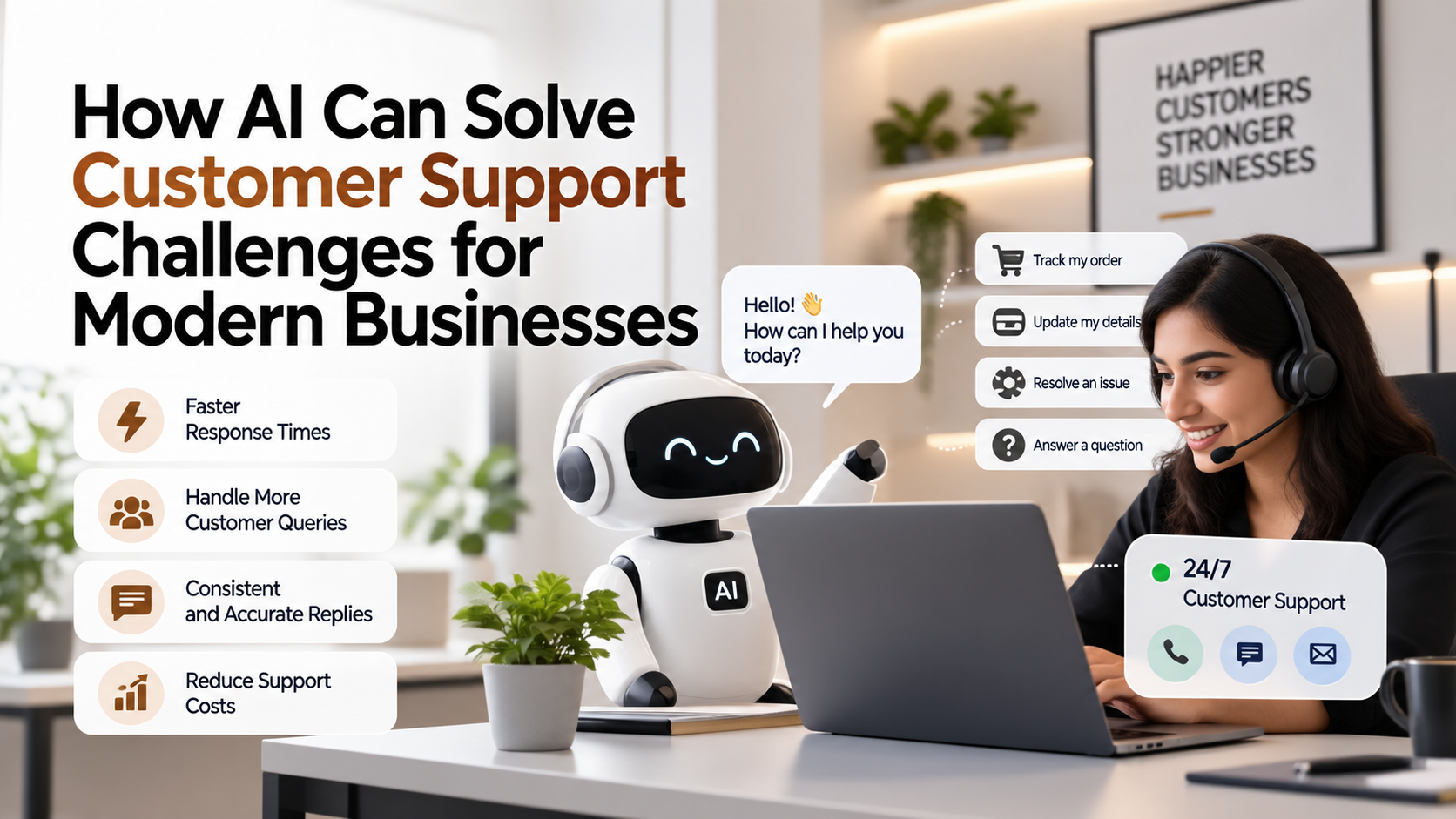
How AI Can Solve Customer Support Challenges for Modern Businesses
Introduction
Imagine this: A customer sends a question after business hours, repeats it in chat the next morning, and then calls because nobody can see the full history. The support team spends time reconstructing context before it can solve the issue. The individual tasks may look small, but together they create queues, duplicated effort and decisions made with incomplete context.
That pattern explains why AI customer support has become a practical business topic rather than a purely technical one. The underlying problem is usually not a lack of software. It is that important work crosses people, documents and systems that were never designed to operate as one continuous process.
Traditional fixes often add another spreadsheet, another form or another dashboard. Those tools can help, but they still depend on people to read inputs, interpret meaning, decide what happens next and keep every system synchronized.
This is where practical AI matters. The goal is not to add a chatbot or model simply because AI is popular; it is to remove specific friction from a measurable workflow.
This guide explains the real-world problem behind how ai can solve customer support challenges for modern businesses, why it persists, which AI capabilities are relevant, how to implement them responsibly, and where a technology partner such as RootPro Technologies can support design and integration.
Businesses evaluating where AI can provide practical value can start by reviewing AI development solutions in the context of a clearly defined workflow rather than adopting AI as a standalone feature.
Understanding the Problem
Most organizations do not set out to create a complicated process. Complexity accumulates. A team adopts one tool for one need, another team chooses a different system, and manual steps are added whenever an integration or feature is missing. Over time, high volumes of repetitive questions, fragmented customer history and slow routing become normal operating conditions.
Human dependency is another cause. People are exceptionally good at interpreting context and resolving unusual situations, so businesses naturally place people in the middle of workflows. The problem appears when staff must apply the same judgment to hundreds of routine cases. Attention becomes the scarce resource, and queues grow whenever volume rises or an experienced employee is unavailable.
Communication gaps add friction. A request may move from email to a spreadsheet, then to help desk and finally to CRM. Every handoff is an opportunity for context to be lost, a field to be omitted or the current status to become unclear.
Data creates a related challenge. Operational information may exist, but not in a form that is immediately usable. Some of it is structured in databases; some lives in documents, conversations or free-text notes. Teams spend time preparing information before they can act on it.
The cost is broader than payroll. Slow workflows delay customer responses, extend cycle times, reduce management visibility and make scaling expensive because each increase in volume appears to require more manual coordination. The objective of AI customer support is to change that relationship between volume and effort without removing necessary human oversight.
Why Traditional Solutions Are No Longer Enough
Traditional tools work well when inputs are structured and every decision can be expressed as a stable rule. They struggle when information arrives as free text, documents, images, changing context or ambiguous requests.
Manual processes can be flexible, but that flexibility depends on human attention. As volume grows, the same flexibility becomes a bottleneck because every case requires reading, interpretation and follow-up.
A better architecture separates the two. Deterministic software should continue to enforce permissions, financial controls, required fields and system-of-record updates. AI can handle interpretation, ranking, summarization or generation where the input is less structured. This combination is usually more reliable than trying to make an AI model responsible for the entire process.
| Traditional Approach | AI-Powered Approach |
|---|---|
| Manual review and data entry | AI-assisted extraction, classification and validation |
| Repetitive status checks | Event-driven workflows and automated follow-up |
| Delayed insights | Near-real-time analysis of validated operational data |
| Human-dependent routing | Policy-based routing with AI interpretation of unstructured inputs |
| Reactive problem solving | Predictive or anomaly-based signals for earlier review |
How AI Can Solve the Problem
AI chatbots
Handle common conversational requests, collect context and hand off complex cases with a structured summary. In a AI customer support workflow, the technology should receive only the context it needs, return a bounded output, and hand the result to conventional software for validation or action. For example, it could interpret an incoming item, produce a structured result with confidence information, and send uncertain cases to a person rather than forcing an answer. The practical value is that employees no longer have to manually interpret every routine item before the workflow can continue.
Natural language processing
Detects intent, entities, urgency and sentiment-like signals in customer messages without relying only on rigid menus. In a AI customer support workflow, the technology should receive only the context it needs, return a bounded output, and hand the result to conventional software for validation or action. For example, it could interpret an incoming item, produce a structured result with confidence information, and send uncertain cases to a person rather than forcing an answer. The practical value is that employees no longer have to manually interpret every routine item before the workflow can continue.
Retrieval-augmented generation
Grounds answers in approved knowledge-base content so responses can reference current policies and product information. In a AI customer support workflow, the technology should receive only the context it needs, return a bounded output, and hand the result to conventional software for validation or action. For example, it could interpret an incoming item, produce a structured result with confidence information, and send uncertain cases to a person rather than forcing an answer. The practical value is that employees no longer have to manually interpret every routine item before the workflow can continue.
AI-assisted agent tools
Summarize conversations, suggest responses and retrieve relevant records while keeping a human agent in control. In a AI customer support workflow, the technology should receive only the context it needs, return a bounded output, and hand the result to conventional software for validation or action. For example, it could interpret an incoming item, produce a structured result with confidence information, and send uncertain cases to a person rather than forcing an answer. The practical value is that employees no longer have to manually interpret every routine item before the workflow can continue.
Real-World Use Cases
1. FAQ resolution
Problem: Agents repeatedly answer the same policy, status and product questions.
AI solution: A grounded assistant responds from approved knowledge.
Expected workflow: The chatbot identifies intent, retrieves the relevant source, answers and offers escalation.
Business benefit: Faster first responses and lower repetitive workload.
2. Ticket routing
Problem: Requests reach the wrong team or lack key details.
AI solution: NLP classifies intent and extracts account, product and urgency information.
Expected workflow: The system enriches the ticket and routes it according to policy.
Business benefit: Less manual triage and fewer transfers.
3. Conversation summarization
Problem: Agents read long histories before responding.
AI solution: AI produces a concise summary with unresolved points and prior actions.
Expected workflow: The summary is generated from the conversation and shown before the next reply.
Business benefit: Quicker context recovery.
4. After-hours intake
Problem: Customers cannot get help outside normal staffing windows.
AI solution: A digital assistant handles basic requests and captures structured information.
Expected workflow: It resolves safe cases and schedules or escalates others.
Business benefit: Better continuity without pretending every case can be automated.
5. Quality support
Problem: Supervisors sample only a fraction of interactions.
AI solution: AI can flag conversations for review based on defined quality or risk criteria.
Expected workflow: Interactions are checked against policies and unusual cases are surfaced.
Business benefit: More focused coaching and review.
Business Benefits
The biggest gains usually come from redesigning the workflow, not from inserting AI into the old process without changing anything.
- Reduced manual work: Routine reading, copying, classification and follow-up can be automated so people focus on exceptions and decisions.
- Faster operations: Work can move as soon as the required information is available instead of waiting for someone to notice a queue.
- Better decisions: Validated data and summarized context can reach decision-makers earlier, with links back to source information.
- Fewer avoidable errors: Structured validation and consistent workflows reduce mistakes caused by re-keying, missed steps or outdated templates.
- Scalability: The business can process more routine volume without increasing manual coordination at the same rate.
- Improved customer or employee experience: People receive faster responses and fewer requests to repeat information that already exists in an approved system.
- Better data utilization: Information that previously remained trapped in documents, messages or siloed tools can become searchable and actionable.
- Clearer governance: Well-designed AI workflows can create explicit checkpoints, logs and escalation paths instead of relying on undocumented individual habits.
How to Implement AI Successfully
Step 1 – Identify the problem
Define one operational problem in measurable terms. Start with the queue, delay, error or repetitive task—not with a preferred model or vendor.
Step 2 – Analyze the existing workflow
Map every step, system, handoff, decision and exception. Record where data enters, who approves actions and what happens when information is missing.
Step 3 – Identify suitable AI opportunities
Mark steps that require interpreting unstructured information, prioritizing cases, forecasting outcomes, summarizing context or generating drafts. Leave purely deterministic rules as normal software.
Step 4 – Select the appropriate technology
Choose the narrowest capability that solves the problem: retrieval, classification, document extraction, prediction, generation or an agent with constrained tools.
Step 5 – Build or integrate the solution
Connect the AI capability to systems such as help desk, CRM, knowledge base, chat. Keep authentication, authorization and source-of-truth updates in the application layer.
Step 6 – Test the system
Create representative test cases, including edge cases and failure scenarios. Measure accuracy, routing quality, latency and the rate of human intervention before rollout.
Step 7 – Train users
Teach users what the system can do, what it cannot do and how to review uncertain outputs. Adoption improves when responsibility remains clear.
Step 8 – Monitor performance
Track metrics such as first-response time, resolution time, escalation rate, repeat-contact rate. Also monitor model errors, integration failures, access issues and unexpected costs.
Step 9 – Improve continuously
Use real exceptions and user feedback to refine prompts, rules, retrieval sources, models and workflow design. Treat production AI as an evolving system rather than a one-time deployment.
Challenges of Implementing AI
Data quality: AI cannot compensate for missing ownership, duplicated records or inconsistent definitions. Clean the minimum data needed for the use case and document the source of truth.
Privacy: Limit data collection, send only necessary context to AI services and apply retention, consent and access policies appropriate to the organization and jurisdiction.
Security: Use authenticated integrations, least-privilege permissions, secrets management, audit logs and isolation between users or business units.
Integration: A useful prototype can fail in production if it does not fit existing systems. Design APIs, event flows and rollback behavior before scaling.
Cost: Model usage, integration work and ongoing operations all matter. Measure cost per completed workflow or business outcome rather than model price alone.
Employee adoption: People may resist systems that appear opaque or threatening. Involve process owners early, preserve review controls and explain how responsibilities change.
Technical complexity: Multiple models and tools can create brittle architecture. Prefer the smallest number of components that meet requirements and keep deterministic logic outside the model.
AI accuracy: Generative and predictive systems can be wrong. Use grounding, validation, confidence thresholds and human review for consequential actions.
Maintenance: Knowledge bases, prompts, integrations and models change. Assign ownership for evaluation, updates and incident response.
Governance: Document who can change the system, which data it can access, which actions require approval and how decisions can be audited.
When Should a Business Consider AI?
- High-volume repetitive tasks consume a meaningful share of skilled employees’ time.
- Teams repeatedly move the same information between help desk and CRM.
- Large amounts of information exist, but staff cannot find or interpret it quickly enough.
- Customers, employees or partners ask recurring questions that follow a known information pattern.
- Manual reports or status updates delay decisions.
- The workflow contains predictable rules plus a smaller number of exceptions that require judgment.
- Growth is increasing operational complexity faster than the organization can add people or process controls.
- A process has clear success metrics such as first-response time, resolution time, escalation rate, making it possible to evaluate an AI-assisted redesign.
AI vs Automation vs Traditional Software
These terms are often used interchangeably, but they describe different capabilities. Choosing the right layer prevents teams from using AI where ordinary software would be simpler and more reliable.
The Future of AI-Powered Business Solutions
Over the next several years, more business systems are likely to expose AI-assisted interfaces alongside traditional forms and dashboards. Instead of navigating many screens, users may increasingly ask for an outcome and have software assemble the relevant context and actions.
AI agents may make cross-system workflows more practical, but reliable deployments will still depend on permissions, auditable tool calls, evaluation and clear human checkpoints. The likely direction is not unrestricted autonomy; it is progressively more capable automation inside defined boundaries.
For AI customer support, the likely direction is tighter integration between AI, business data and workflow systems. Future possibilities should still be evaluated against privacy, reliability, cost and governance rather than assumed to be automatically beneficial.
How RootPro Technologies Can Help Businesses Solve This Problem
For businesses that have identified a suitable AI customer support use case but do not want to assemble the entire stack internally, RootPro Technologies can support the path from process analysis to implementation. Its public AI practice describes work across chatbots, RAG/semantic search, document and workflow automation, LLM integrations and predictive analytics, while its custom-software practice covers ERP/CRM systems, internal dashboards, API layers and workflow automation.
A sensible engagement begins with the business problem rather than a model demo. RootPro can map the existing workflow, identify which steps should remain deterministic, decide where AI adds useful interpretation or prediction, and design the integration around systems already used by the organization.
Depending on the problem, the implementation may combine a custom web application, an AI assistant, a data pipeline, API integrations and a workflow engine. The important architectural principle is that the AI component should fit into a controlled business process rather than becoming an isolated experiment.
Organizations exploring AI customer support can review custom AI solutions. The practical objective is to move through a clear sequence: Business Problem → Process Analysis → AI Opportunity → Solution Architecture → Development / Integration → Testing → Deployment → Continuous Improvement.
For workflows that also require new portals, dashboards or system integration, custom software development can provide the surrounding application layer that turns an AI capability into an operational system.