AI Business Automation: Solve Everyday Problems Smarter
Learn how AI business automation can solve everyday operational problems, reduce manual work, improve decisions, and create smarter business workflows.
How AI Can Solve Everyday Business Problems with Smarter Automation
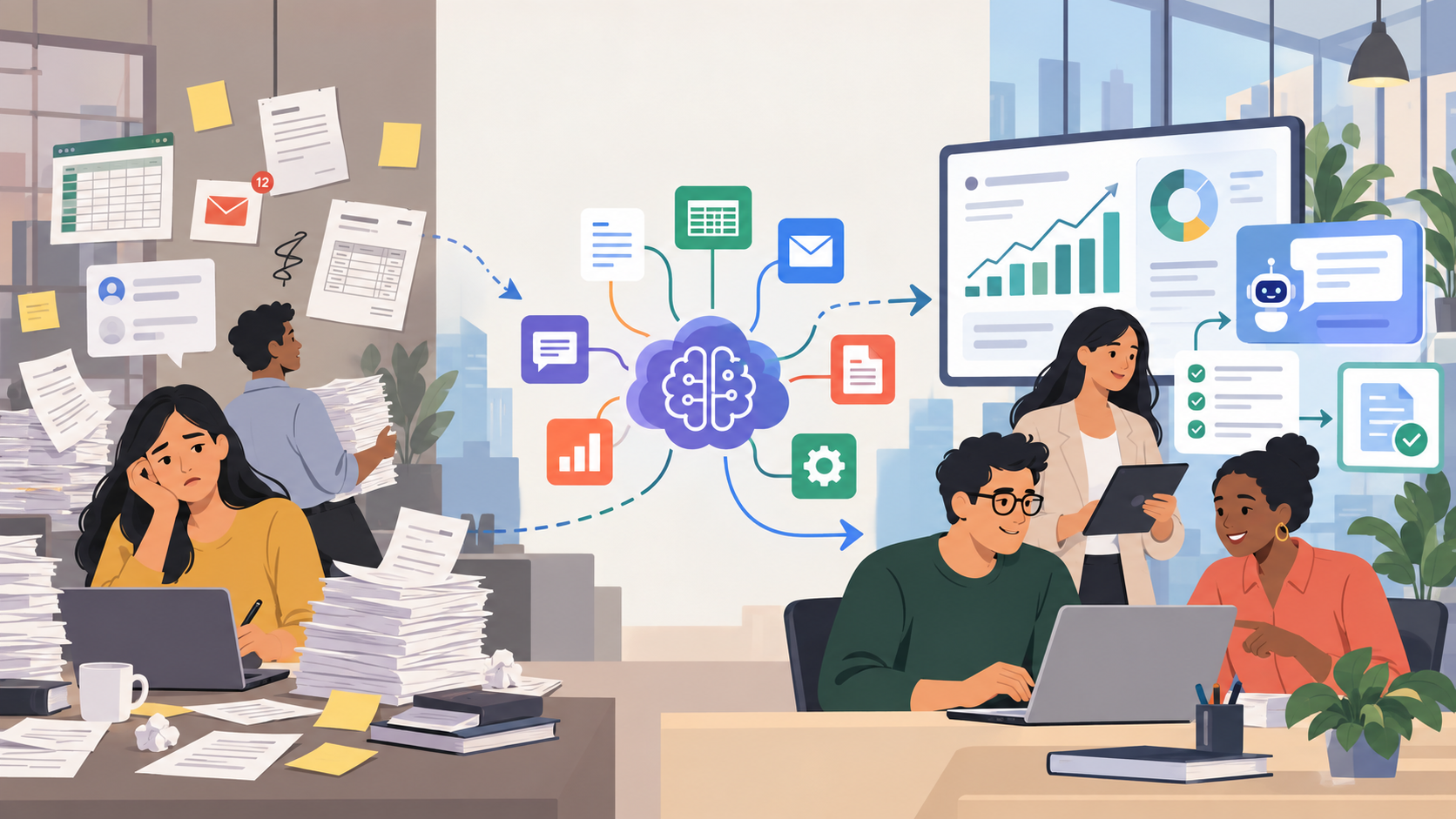
A customer sends an enquiry through your website at 9:15 AM.
Someone from the sales team reads it, copies the customer's information into a CRM, decides which salesperson should handle it, sends a reply, creates a follow-up reminder, and updates a spreadsheet used by management.
At the same time, the finance department is manually entering information from invoices. The operations team is checking stock levels in spreadsheets. Customer support employees are answering questions they have already answered dozens of times. A manager is waiting for three departments to send data before preparing the weekly performance report.
None of these activities appears particularly serious when viewed individually.
But together, they represent one of the biggest operational problems faced by modern businesses: too much human time is being spent moving, checking, organizing, searching, and re-entering information.
This is where AI business automation can create practical value.
Artificial intelligence does not need to replace an entire department or make every business decision automatically. In many cases, its most valuable role is much simpler.
AI can help businesses:
- understand incoming information;
- classify requests;
- extract data from documents;
- summarize large amounts of information;
- search organizational knowledge;
- identify patterns;
- forecast possible outcomes;
- automate repetitive communication;
- coordinate workflows;
- help employees make faster decisions.
The objective is not to introduce AI because it is fashionable.
The objective is to identify a real business problem and determine whether AI can solve part of that problem more efficiently.
That difference matters.
A company that starts with technology may end up with an impressive AI demonstration that employees rarely use.
A company that starts with a genuine operational problem has a much better chance of building something useful.
The Real Problem: Modern Businesses Are Full of Small Inefficiencies
Most businesses do not have a single process that suddenly destroys productivity.
Instead, inefficiency accumulates gradually.
A few minutes are lost copying customer information.
Another few minutes are spent locating a document.
An employee manually checks whether an invoice matches a purchase order.
A support agent searches an internal knowledge base.
A manager combines information from several spreadsheets.
A sales representative writes notes after a customer call.
One employee follows up with another employee to check whether a task has been completed.
Each activity appears manageable.
Repeated hundreds or thousands of times, however, these activities become expensive operational friction.
Business processes often grow faster than their systems
Many companies begin with simple tools.
A startup may manage customers using a spreadsheet.
A school may keep administrative records across several systems.
A small healthcare provider may coordinate appointments through phone calls and basic scheduling software.
A growing ecommerce company may initially manage inventory manually.
Those systems may work perfectly well at the beginning.
The problem appears when transaction volumes increase.
More customers create more enquiries.
More employees create more communication.
More locations create more coordination.
More products create more inventory complexity.
More software creates more disconnected information.
Eventually, employees become the connection between different systems.
They copy information from one application into another.
They read emails and manually update records.
They check spreadsheets before making routine decisions.
They search through folders for documents.
They send notifications that could have been triggered automatically.
The organization may have plenty of software, yet still depend heavily on manual work.
Why These Business Problems Exist
Before implementing artificial intelligence, it is important to understand why these inefficiencies develop.
1. Information is scattered across multiple systems
A business may simultaneously use:
- email;
- CRM software;
- accounting software;
- ERP systems;
- spreadsheets;
- cloud storage;
- project-management tools;
- communication platforms;
- customer-support software;
- ecommerce platforms;
- internal databases.
Each system may contain part of the information required to complete a task.
Consider a manager asking:
"Why was this customer's order delayed?"
Finding the answer could require checking the CRM, warehouse software, payment records, email conversations and delivery system.
The information exists.
The problem is retrieving and connecting it efficiently.
AI can potentially provide an intelligence layer across these systems, provided that integrations, permissions and security controls are designed properly.
2. Many workflows still depend on humans transferring information
Imagine a supplier emails an invoice.
An employee opens the attachment.
They locate the supplier name.
They copy the invoice number.
They enter the amount.
They check the purchase order.
They verify the tax details.
They update the accounting system.
They send the document for approval.
Most of this process involves information handling rather than financial judgment.
AI-powered document processing can help extract and classify information automatically while leaving unusual cases and approvals to employees.
3. Businesses collect data without fully using it
Organizations generate enormous amounts of information through everyday operations.
Examples include:
- sales transactions;
- customer conversations;
- website activity;
- support tickets;
- inventory movements;
- supplier records;
- employee reports;
- production data;
- feedback;
- attendance;
- financial information.
However, data does not automatically create insight.
Someone still needs to analyze it.
Traditional reports often describe what already happened.
Artificial intelligence and machine learning can help identify patterns, correlations, unusual behavior and possible future trends.
This does not mean AI predictions are guaranteed to be correct.
It means businesses can use historical information more effectively when making decisions.
4. Repetitive communication consumes employee time
Customer support teams frequently answer similar questions.
Salespeople repeatedly respond to standard enquiries.
HR teams answer questions about company policies.
School administrators respond to questions about admissions, schedules, fees and examinations.
Employees may spend hours providing information that already exists somewhere inside the organization.
An AI knowledge assistant can retrieve approved information and provide answers while escalating unusual questions to a human employee.
5. Traditional automation cannot understand ambiguity
Traditional automation is extremely useful.
However, it normally requires structured rules.
For example:
If an invoice is approved, send it to accounting.
That works well because the condition is clearly defined.
But consider this instruction:
Read this customer's email, determine what they need, identify whether the issue is urgent, find the relevant information and route it to the correct department.
That task involves understanding language and context.
Artificial intelligence can help with these less structured processes.
Why Traditional Solutions Are No Longer Enough
The rise of AI does not mean traditional software is becoming obsolete.
In fact, most effective AI systems depend heavily on traditional software.
The difference is the type of problem each technology handles.
Traditional software excels when rules are known in advance.
AI becomes valuable when software needs to interpret information.
| Traditional Approach | AI-Powered Approach |
|---|---|
| Manual document entry | Automated document extraction |
| Employees categorize every request | AI-assisted classification |
| Manual report preparation | Automated analysis and summarization |
| Employees search multiple folders | AI-powered knowledge retrieval |
| Fixed customer-service scripts | Context-aware AI assistance |
| Historical reporting | Predictive analytics |
| Manual transcription | Speech recognition and summarization |
| Reactive problem solving | Earlier anomaly and trend identification |
| Employees move data between systems | Integrated intelligent workflows |
The strongest business systems often combine both approaches.
For example, AI might identify information contained in an invoice.
Traditional application logic then validates the required fields.
Automation routes the invoice to the appropriate approver.
A human approves an unusual transaction.
The ERP records the final result.
AI is only one component of the workflow.
That is usually a better architecture than attempting to make AI responsible for everything.
How AI Can Solve Everyday Business Problems
Different AI technologies solve different problems.
Choosing the correct technology depends on the workflow.
Generative AI
Generative AI can create or transform text, images, code and other forms of content.
For businesses, language-based generative AI is particularly useful for:
- drafting emails;
- preparing summaries;
- generating reports;
- rewriting content;
- answering questions;
- explaining information;
- preparing meeting notes;
- creating structured documentation.
How it works
Large language models process input instructions and context before generating an appropriate response.
In business environments, these models can often be connected to approved company information.
Instead of asking a general AI model about company policy, for example, an organization could build a system that retrieves information from its own policy documents before generating an answer.
Practical example
Imagine an operations manager who receives updates from ten departments every evening.
Instead of manually reading every update and building a report, an AI system could:
- collect the approved updates;
- categorize them;
- identify important changes;
- highlight potential problems;
- create a management summary;
- allow the manager to review the final output.
The manager still makes decisions.
AI simply reduces the information-processing burden.
Natural Language Processing
Natural Language Processing, or NLP, helps computers understand and organize human language.
It can be applied to:
- emails;
- reviews;
- support requests;
- surveys;
- documents;
- chat conversations;
- customer feedback.
Practical business problem
A customer-support team receives hundreds of incoming requests.
Some concern payments.
Some are technical issues.
Some involve password resets.
Others are cancellation requests.
Traditionally, an employee may read every message before assigning it.
An NLP system can analyze each request and automatically identify:
- topic;
- priority;
- sentiment;
- customer intent;
- department;
- relevant product.
The system can then route the request appropriately.
Employees spend less time organizing requests and more time actually solving customer problems.
AI Chatbots and Business Knowledge Assistants
Early chatbots were usually based on decision trees.
If the user clicked a particular option, the chatbot displayed a predefined answer.
Modern AI assistants can understand much more flexible language.
However, the most useful business chatbot is usually not one that attempts to know everything.
It is one that understands the organization's approved information.
For example, a company could connect an AI assistant to:
- product documentation;
- frequently asked questions;
- company policies;
- internal manuals;
- employee guides;
- customer documentation;
- training materials.
A technique commonly known as Retrieval-Augmented Generation, or RAG, can retrieve relevant information before the AI creates its answer.
Practical example
An employee asks:
"How do I request a laptop replacement if the device has hardware damage?"
Instead of searching an intranet, opening multiple documents and finding the relevant policy, the employee could ask the internal assistant.
The assistant retrieves the approved IT policy and explains the correct process.
If the system is designed properly, it can also provide references to the underlying source.
Document Intelligence
Documents remain a major part of business operations.
Businesses regularly process:
- invoices;
- purchase orders;
- contracts;
- application forms;
- receipts;
- resumes;
- medical forms;
- certificates;
- claims;
- reports.
Many of these documents arrive as PDFs, images, scans or email attachments.
Document intelligence combines technologies such as optical character recognition, language understanding, AI models and validation rules.
A workflow might look like this:
Document received
↓
Document classified
↓
Important information extracted
↓
Required fields validated
↓
Business rules checked
↓
Exception detected if necessary
↓
Human review or automated processing
Practical example
Suppose a company receives supplier invoices in several different formats.
Instead of creating a separate extraction template for every supplier, an AI system can identify fields based on the content of each document.
It might extract:
- invoice number;
- supplier name;
- invoice date;
- purchase-order number;
- total amount;
- tax;
- payment terms.
Low-confidence or unusual documents can be sent to an employee for verification.
Predictive Analytics and Machine Learning
Traditional business intelligence explains what happened.
Predictive analytics attempts to estimate what might happen next.
Machine-learning models can analyze historical patterns and produce forecasts or probability estimates.
Potential applications include:
- demand forecasting;
- sales forecasting;
- customer churn analysis;
- equipment maintenance;
- inventory planning;
- fraud detection;
- lead prioritization.
Practical example
A distributor manages thousands of products.
Some sell consistently.
Others have seasonal demand.
Some products occasionally experience unexpected spikes.
A predictive model can analyze:
- historical sales;
- inventory levels;
- seasonality;
- promotions;
- customer demand;
- previous stockouts.
The system can then highlight products that may require additional attention.
The purchasing manager still decides what to order.
AI improves the quality and speed of the information available for that decision.
Speech AI
Business conversations contain valuable information.
Sales calls, customer-support conversations, meetings and interviews frequently contain information that later needs to be recorded manually.
Speech AI can convert audio into text.
AI can then structure that text.
For example:
Customer call
↓
Speech-to-text transcription
↓
Conversation summary
↓
Customer requirements identified
↓
Action items generated
↓
CRM note prepared
The employee reviews the summary before saving it.
This reduces administrative work without removing human oversight.
Computer Vision
Computer vision enables software to understand images and video.
It may be useful in:
- manufacturing;
- logistics;
- retail;
- warehouse management;
- quality assurance;
- document processing.
For example, a production facility might use cameras and vision models to identify visible product defects.
A warehouse could use image recognition as part of an inventory verification workflow.
Computer vision can also support document processing when information arrives as photographs or scanned pages.
AI Agents
AI agents represent another stage of automation.
A normal AI chatbot primarily responds to a request.
An AI agent can potentially use authorized tools to perform actions.
For example, an employee might say:
"Prepare this week's sales performance report."
An agent could potentially:
- connect to the CRM;
- retrieve authorized sales records;
- compare current results with previous periods;
- identify unusual changes;
- create charts;
- generate a summary;
- save a draft report;
- notify the manager.
This is considerably more powerful than a chatbot.
It also introduces more risk.
Businesses should carefully control which actions an AI agent can perform.
An agent allowed to read sales information presents a different level of risk from one capable of modifying prices, processing refunds or approving payments.
Permissions, audit logs, approval requirements and security controls therefore become essential.
Real-World AI Automation Use Cases
1. Customer Support
Problem
Support teams repeatedly answer similar questions while complex issues wait in the same queue.
AI solution
An AI assistant categorizes requests, searches an approved knowledge base and prepares an answer.
Workflow
Customer request
→ intent classification
→ knowledge retrieval
→ response generation
→ automatic response or human review
→ escalation where required.
Business benefit
Employees can spend more time handling problems that actually require human expertise.
2. Invoice Processing
Problem
Finance employees manually extract data from invoices.
AI solution
Document intelligence reads incoming documents and converts the relevant information into structured data.
Workflow
Invoice received
→ classification
→ data extraction
→ validation
→ matching
→ approval
→ accounting-system update.
Business benefit
Less repetitive data entry and better consistency in document handling.
3. Sales Lead Management
Problem
Potential customers submit enquiries through websites, social platforms and email. Sales representatives need to review and organize them manually.
AI solution
AI analyzes the enquiry, identifies customer intent, creates a summary and helps prioritize follow-up.
Workflow
Lead submitted
→ AI classification
→ customer information extracted
→ CRM record created
→ salesperson assigned
→ follow-up suggested
→ representative reviews and responds.
Business benefit
Sales teams spend more time interacting with prospects and less time performing administration.
4. Automated Management Reporting
Problem
Managers wait for employees to combine information from several departments.
AI solution
An integrated analytics system collects approved information and generates summaries.
Workflow
Business systems
→ data integration
→ validation
→ analysis
→ dashboard
→ AI summary
→ management review.
Business benefit
Management receives information faster and can focus attention on unusual changes instead of manually assembling reports.
5. Education Administration
Schools and educational organizations perform large amounts of repetitive administrative communication.
Problem
Staff repeatedly answer questions about:
- admissions;
- schedules;
- fees;
- examinations;
- attendance;
- policies;
- documents.
AI solution
A secure AI assistant can provide answers from approved school information.
Workflow
Student or parent asks question
→ AI determines intent
→ relevant approved information retrieved
→ answer provided
→ unusual request forwarded to staff.
Business benefit
Administrative teams can spend less time responding to repetitive informational requests.
Sensitive academic decisions should continue to involve appropriate human oversight.
6. Healthcare Administration
Healthcare organizations contain many workflows that are administrative rather than clinical.
Examples include:
- appointment scheduling;
- form processing;
- documentation;
- routine communication;
- information retrieval.
AI may help organize these processes.
However, clinical decision-making requires substantially greater regulatory, ethical, privacy, accuracy and professional oversight.
The fact that AI can automate an administrative process does not mean it should independently diagnose or make medical decisions.
7. Inventory Management
Problem
Businesses struggle to determine what products will require additional inventory.
AI solution
Predictive analytics evaluates historical demand and other relevant information.
Workflow
Historical sales
→ inventory information
→ demand patterns
→ predictive model
→ potential shortage or surplus indicators
→ planner review.
Business benefit
Managers have better evidence when planning inventory.
8. Internal Knowledge Management
Problem
Employees repeatedly ask questions whose answers already exist in organizational documents.
AI solution
An internal AI knowledge assistant provides conversational search across approved documentation.
Business benefit
Employees can spend less time looking for information and more time using it.
The Business Benefits of AI Automation
AI implementation should always be measured against a business objective.
Potential benefits include the following.
Reduced Manual Work
AI can perform tasks such as:
- extraction;
- classification;
- summarization;
- routing;
- transcription;
- search.
This allows employees to concentrate on activities requiring judgment, relationships, creativity and responsibility.
Faster Operations
Many business delays occur between systems and departments.
Automation can reduce these delays by triggering processes as soon as relevant information becomes available.
Better Decision-Making
AI analytics can make important patterns easier to detect.
Managers can receive summaries, forecasts and exception reports rather than manually examining raw data.
Improved Customer Experience
Customers frequently value quick access to accurate information.
AI assistants can respond to common questions immediately while forwarding complicated cases to employees.
Reduced Errors
Manual copying creates opportunities for mistakes.
Automated extraction, validation and integration can reduce some classes of preventable error.
Human review should remain available where accuracy is critical.
Improved Scalability
A process that requires additional employees every time transaction volume increases becomes difficult to scale.
Automation can help businesses handle increasing volumes without increasing administrative workload at exactly the same rate.
Better Data Utilization
Documents, conversations and other unstructured information have traditionally been difficult to analyze.
AI can help convert this information into structured and searchable knowledge.
How to Implement AI Successfully
Buying an AI tool is not the same as successfully implementing AI.
Businesses need a structured approach.
Step 1: Identify the Business Problem
Begin with a problem statement.
For example:
"Our finance team spends too much time manually entering information from supplier invoices."
This is much better than saying:
"We want to use artificial intelligence."
Step 2: Analyze the Existing Workflow
Document exactly what happens today.
Identify:
- who performs each task;
- which software is involved;
- where information comes from;
- where delays occur;
- which tasks require judgment;
- which tasks are repetitive;
- what happens when something goes wrong.
This often reveals automation opportunities that were not initially obvious.
Step 3: Identify AI Opportunities
Ask which parts of the workflow involve:
- understanding language;
- recognizing patterns;
- processing documents;
- forecasting;
- searching large knowledge bases;
- summarizing information.
Those activities may be good candidates for AI.
Step 4: Select the Appropriate Technology
Do not use AI where simple software can solve the problem.
If a process is completely deterministic, conventional automation may be more reliable.
AI should be introduced when it provides a clear capability that traditional rules cannot easily provide.
Step 5: Build or Integrate the Solution
Businesses have several options.
They may use:
- existing SaaS products;
- AI APIs;
- workflow platforms;
- custom applications;
- internal enterprise software.
A custom AI application may be necessary when the system needs to integrate deeply with existing business processes.
Step 6: Test Thoroughly
Testing an AI system requires more than checking whether the interface works.
Organizations should evaluate:
- accuracy;
- unusual inputs;
- missing information;
- permissions;
- security;
- incorrect AI outputs;
- integration failures;
- escalation logic;
- fallback behavior.
Step 7: Train Employees
Users need to understand how the AI system should be used.
They should know:
- what the system can do;
- what it cannot reliably do;
- when results require verification;
- how to report errors;
- when to involve a human.
Step 8: Monitor Performance
Track the performance of the workflow after implementation.
Depending on the use case, organizations might monitor:
- processing time;
- accuracy;
- escalation frequency;
- unresolved requests;
- employee adoption;
- customer feedback;
- exception rates.
Step 9: Improve Continuously
AI systems are rarely perfect after the first release.
Real usage reveals new situations.
Businesses can improve:
- prompts;
- data;
- knowledge sources;
- models;
- workflow rules;
- integrations;
- user interfaces;
- permissions.
Challenges Businesses Must Consider
AI offers significant opportunities, but implementation also creates new responsibilities.
Data Quality
AI depends on information.
If business data is inaccurate, duplicated, incomplete or outdated, AI outputs can also suffer.
Data preparation is therefore often an important part of an AI project.
Privacy
Organizations must understand exactly what information is sent to AI systems.
Sensitive information may include:
- customer information;
- employee data;
- student records;
- healthcare information;
- financial records;
- intellectual property.
Privacy requirements should influence architecture from the beginning.
Security
An AI system connected to business software may have access to valuable information.
Organizations should use appropriate:
- authentication;
- authorization;
- encryption;
- logging;
- access restrictions;
- monitoring.
AI agents capable of taking actions require especially careful permission design.
Integration Complexity
AI frequently represents only a small portion of the complete solution.
The real engineering work may involve connecting:
- databases;
- APIs;
- CRM systems;
- ERPs;
- websites;
- authentication systems;
- cloud platforms;
- legacy software.
This is why successful AI projects frequently require strong software-engineering capabilities in addition to AI expertise.
AI Accuracy
Generative AI can produce incorrect information.
Businesses should determine the impact of a wrong answer.
For low-risk tasks, simple review may be sufficient.
For important financial, medical, legal, safety or operational workflows, stronger verification and human oversight may be necessary.
Employee Adoption
Employees are more likely to use an AI system if it genuinely improves their work.
Teams who perform the existing process should therefore participate in requirements gathering and testing.
Cost
The total cost of an AI system may include:
- development;
- model/API usage;
- cloud infrastructure;
- integration;
- storage;
- monitoring;
- support;
- maintenance.
Businesses should compare those costs with the value of solving the original problem.
Governance
Organizations need to decide:
- who owns the AI system;
- who can change it;
- what data it can access;
- how performance is monitored;
- how problems are reported;
- which actions require human approval.
AI governance becomes increasingly important as systems gain greater autonomy.
When Should a Business Consider AI?
Not every business process requires artificial intelligence.
AI becomes worth investigating when you notice patterns such as:
- large volumes of repetitive administrative work;
- frequent customer questions;
- significant document processing;
- large quantities of unstructured data;
- employees manually preparing reports;
- repeated searching across internal documents;
- difficult forecasting;
- growing operational complexity;
- information repeatedly copied between applications;
- workflows that require understanding text, images or conversations.
These conditions do not automatically justify AI.
They indicate that the process should be evaluated.
The final solution might involve AI, traditional automation, better software—or a combination.
AI vs Automation vs Traditional Software
These technologies are often incorrectly treated as interchangeable.
They solve different types of problems.
| Technology | What It Does | Suitable Example |
|---|---|---|
| Traditional Software | Executes programmed logic | Accounting system |
| Automation | Performs predefined actions | Send invoice after approval |
| AI | Recognizes patterns and interprets information | Classify support requests |
| Generative AI | Creates or transforms content | Prepare report summary |
| AI Agent | Uses AI plus tools to complete multiple steps | Analyze CRM data and create a sales report |
A sophisticated business workflow may use all five.
The objective should not be replacing every technology with AI.
The objective should be using the correct technology for each part of the process.
From Problem to AI Solution: A Practical Framework
A useful AI implementation can be structured into ten stages.
1. Identify
Define the exact operational problem.
Avoid broad statements.
Instead of:
"We need AI."
Use:
"Our customer-service team spends significant time manually categorizing incoming support requests."
2. Analyze
Understand the existing process in detail.
Identify inputs, outputs, systems, employees, delays, exceptions and dependencies.
3. Prioritize
Not every inefficiency deserves immediate automation.
Prioritize opportunities based on:
- business importance;
- frequency;
- technical feasibility;
- available data;
- risk;
- expected operational value.
4. Design
Define the future workflow.
Decide which steps should be:
- automated;
- AI-assisted;
- rule-based;
- human-controlled.
5. Develop
Build the required technology.
This could involve:
- AI models;
- web applications;
- APIs;
- databases;
- dashboards;
- workflow engines;
- document processing;
- analytics.
6. Integrate
Connect the solution with existing systems.
Without integration, employees may simply end up copying information between the new AI application and the old software.
7. Test
Test both normal and unusual scenarios.
Particular attention should be given to cases where the AI is uncertain or incorrect.
8. Deploy
Introduce the solution into the real business process.
For higher-risk workflows, gradual deployment may be appropriate.
9. Measure
Determine whether the original problem has actually improved.
Measure the workflow—not merely the AI model.
10. Improve
Use operational data and employee feedback to improve the system continuously.
How RootPro Technologies Can Help Businesses Solve These Problems
Recognizing that a process is inefficient is relatively easy.
Designing the correct technology solution is often more difficult.
A business may know that employees spend too much time processing documents, but several questions still need to be answered.
Should the company use document intelligence?
Can existing software already solve the problem?
Should AI be integrated into the ERP?
Does the organization need a custom application?
Where should human approval occur?
How should the system connect with existing data?
How should access and security be handled?
This is where a technology partner can help translate an operational problem into an implementable architecture.
RootPro Technologies provides AI solutions, custom applications, business automation, web development, software development, API integration, workflow automation and digital-transformation services.
Rather than treating AI as an isolated feature, businesses can approach implementation through a broader process:
Business Problem
↓
Process Analysis
↓
AI Opportunity
↓
Solution Architecture
↓
Development / Integration
↓
Testing
↓
Deployment
↓
Continuous Improvement
Consider a company that currently manages customer orders using email and spreadsheets.
Simply adding an AI chatbot would not solve the real problem.
A more useful solution might combine:
- a custom web application;
- customer and order database;
- API integrations;
- document extraction;
- automated validation;
- AI-assisted classification;
- management dashboards;
- approval workflows.
That is where custom AI solutions and conventional software engineering can work together.
Similarly, an organization with old or disconnected internal tools may need custom software development before sophisticated AI automation becomes practical.
The central idea is simple:
Start with the business process. Then determine the technology architecture required to improve it.
RootPro can help organizations evaluate opportunities including:
- AI assistant development;
- AI-powered applications;
- workflow automation;
- custom software;
- SaaS development;
- API integrations;
- intelligent dashboards;
- document-processing systems;
- data analytics;
- business-system modernization.
The purpose should not be to add artificial intelligence everywhere.
It should be to identify where technology can genuinely remove friction from the business.
The Future of AI-Powered Business Solutions
Business AI is likely to become increasingly integrated into everyday software.
Today, employees may open a separate AI application to ask a question.
In the future, AI capabilities may increasingly exist directly inside:
- CRMs;
- ERP platforms;
- accounting software;
- dashboards;
- communication applications;
- customer portals;
- internal business applications.
Software may become more proactive.
Instead of waiting for a manager to discover a problem in a report, a business system could identify unusual activity and bring it to the manager's attention.
Instead of asking an employee to manually create a weekly report, an AI agent might prepare the report automatically and request approval.
Instead of a salesperson searching through previous customer conversations, the CRM could present the most relevant context automatically.
AI agents may also coordinate increasingly complex workflows.
For example:
New sales enquiry received
↓
AI understands the request
↓
Customer record retrieved
↓
Lead classified
↓
Relevant product information identified
↓
Draft response generated
↓
CRM updated
↓
Salesperson asked to approve follow-up
The technology required for workflows like this already exists in various forms.
The important questions increasingly concern reliability, permissions, security, integration and governance.
As AI capabilities become more powerful, human oversight does not necessarily become less important.
In many situations, it becomes more important.
Turn Your Business Problem Into an AI Solution
Businesses do not need to adopt AI simply because artificial intelligence is trending.
The better question is:
What business problem are we trying to solve?
Look for the processes where employees repeatedly:
- copy information;
- process documents;
- search for answers;
- prepare reports;
- categorize requests;
- move data between software;
- perform predictable administrative work;
- struggle to analyze growing amounts of information.
Then determine which parts of the workflow actually require intelligence.
Some may need traditional automation.
Some may require better software.
Some may benefit from AI.
And some should remain under human control.
This problem-first approach produces much more useful technology than adding AI features without a clear operational purpose.
RootPro Technologies can help businesses move from identifying these problems to designing and implementing practical technology solutions.
This can include:
- identifying suitable AI opportunities;
- automating repetitive processes;
- building custom AI applications;
- developing intelligent software systems;
- integrating AI with existing platforms;
- modernizing legacy workflows;
- creating API integrations;
- building business dashboards;
- developing scalable web and SaaS applications.
Have a business process that is still manual, repetitive, fragmented or difficult to scale?
RootPro Technologies can help evaluate the workflow, determine where AI or automation can provide practical value, and build a solution around the actual needs of your organization.
Visit: https://rootpro.in